Graduate B2B Buyers to Better Payment Terms by Order Count
Move wholesale buyers from a deposit to Net 30 to Net 60 automatically as their order count grows on Shopify Plus, with no manual account edits.
Key takeaways
- 1Shopify Plus stores one static payment term per company location, so buyers never earn better terms unless someone edits the account by hand.
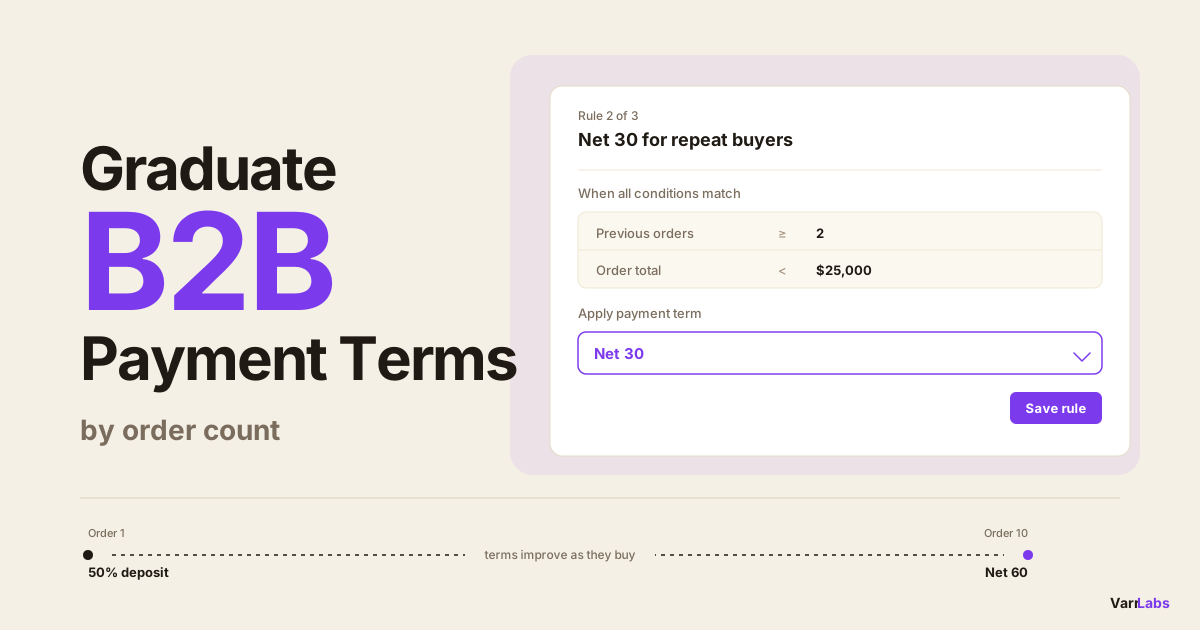
- 2A graduation ladder fixes that: a 50% deposit on orders 1 and 2, Net 30 from order 3, Net 60 from order 10, evaluated at checkout.
- 3The order count condition counts previous orders, so the Net 30 rung is a count of 2 or more, not 3. Check the boundary in a simulator.
- 4Order rules from the highest rung down. First match wins, so each rung needs only one greater-than-or-equal condition.
- 5TermStack applies the matching rung at checkout on Shopify Plus, with a simulator to test each boundary and one-click rollback if the ladder is too generous.
You can automatically move a wholesale buyer from a deposit to Net 30 to Net 60 as their order count grows, with no manual re-assignment. Shopify's native payment terms are static per company location, so this needs a Payment Customization Function that reads order history at checkout, which is a Shopify Plus feature.
Most merchants set B2B payment terms once, at account creation, and never touch them again. A buyer who has paid on time twelve times running is still on the same 50% deposit they got on day one, because nobody remembered to change it. Meanwhile a buyer who ordered once two years ago is sitting on Net 60 forever.
This post covers how to build a graduation ladder: a set of rules where credit exposure tracks proven behaviour instead of whatever someone typed into a form once.
Why static payment terms drift out of date
Credit is a bet on future payment. The only good evidence you have is past payment. So terms should follow order history, and for almost everyone they don't.
Here's what usually happens. A new wholesale account signs up. Someone in sales sets them to Due on Fulfillment or a 50% deposit, which is the right call for an unproven buyer. Six months and nine orders later, that buyer is one of your better accounts. They ask for Net 30. Now somebody has to notice, decide, and go edit the company location.
The decision is easy. The noticing is what fails. Shopify doesn't give you a report that says which buyers have earned better terms this month, and nobody's job description includes auditing order counts. So the buyer asks, and you say yes, and the ones who don't ask stay on deposit terms until a competitor offers them Net 30.
The reverse is worse. Terms only ever move in one direction, because loosening credit feels generous and tightening it feels like an accusation. Your average exposure creeps up over time and nothing pulls it back.
A graduation ladder fixes both. The rule is written once. Every buyer moves up it at the pace their order history justifies, and if you ever change your mind about the thresholds, you change them in one place.
The order count ladder, with actual numbers
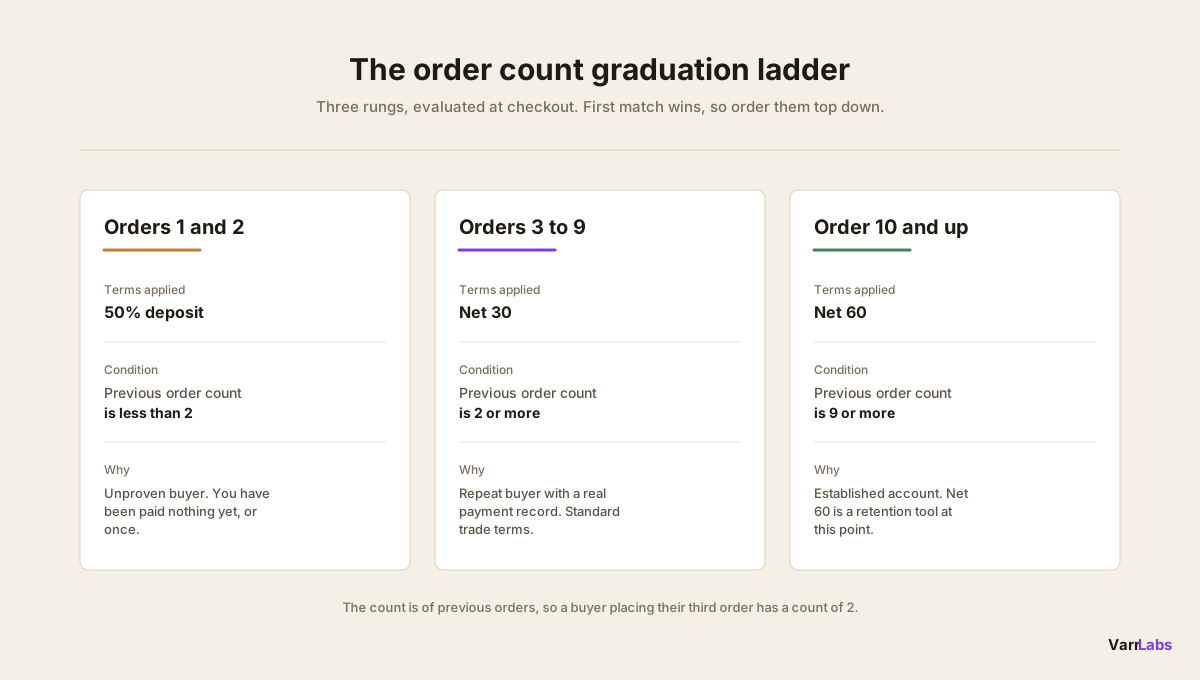
Here's a ladder that works for most wholesale catalogues. Adjust the thresholds to your risk tolerance, but keep the shape.
| Where the buyer is | Terms they get | Why |
|---|---|---|
| Orders 1 and 2 | 50% deposit | Unproven. You've been paid nothing yet, or once. |
| Orders 3 to 9 | Net 30 | Repeat buyer with a payment record. Standard trade terms. |
| Order 10 and beyond | Net 60 | Established account. Net 60 is a retention tool at this point. |
Two things to get right before you build this.
The count is of previous orders, not the current one. A buyer placing their third order has two previous orders. So the "orders 3 to 9" rung is a condition on a previous-order count of 2 through 8, not 3 through 9. An off-by-one here is easy to miss, and it stays invisible until a buyer lands exactly on the boundary. Check it in the simulator before you publish.
Rules evaluate top down and the first match wins. That means you can write the ladder with three simple greater-than-or-equal conditions instead of fiddly ranges, as long as you order them from the highest rung to the lowest:
- Previous order count is 9 or more. Apply Net 60.
- Previous order count is 2 or more. Apply Net 30.
- Previous order count is less than 2. Apply a 50% deposit.
A buyer on their fifteenth order matches rule one and stops. A buyer on their fourth order fails rule one, matches rule two, stops. A first-time buyer falls to rule three. Each rung only needs one condition, and adding a fourth rung later means inserting one rule, not rewriting all of them.
If you'd rather be explicit, you can write each rung as a range instead. It's more typing and it's easier to leave a gap in, but it's also harder to break when someone reorders the list six months from now.
How you'd graduate terms by order count natively
Shopify Plus lets you assign payment terms per company location. Go to Customers → Companies → [Company] → Location, pick a template like Net 30 or Net 60, optionally set a deposit percentage, save. That's the whole feature. It's a static assignment, and it applies to every order from that location until a human changes it.
So the native version of a graduation ladder is a monthly ritual. Someone exports orders, groups them by company, counts them, compares each count against your policy thresholds, and then opens each company location that crossed a boundary and edits it by hand.
With 40 B2B accounts that's a slow afternoon once a month. With 400 it's a job. And it's a job with no deadline pressure and no visible failure mode, which means it's the first thing dropped when the week gets busy. Most merchants who tell you they review terms monthly are describing an intention, not a habit.
There's also a lag problem. Even if you run the audit perfectly on the first of every month, a buyer who crosses your threshold on the third waits four weeks for terms they've already earned. A rule that evaluates at checkout has no lag at all.
For the wider picture of what Shopify does and doesn't do natively here, the native versus app comparison for B2B payment terms goes through it properly.
Layering order value on top of the order count ladder
Order count alone is a decent proxy for trust, but it says nothing about size. Ten reliable $2,000 orders don't prove a buyer can handle a $60,000 invoice on Net 60.
So most ladders want a ceiling. Conditions inside a single rule combine with AND, so you can write "previous order count is 9 or more AND order total is $25,000 or more, apply Net 30 with a 25% deposit" and then put a plainer rule below it for that same buyer's normal orders.
In practice, that looks like this near the top of your list:
- Previous order count 9 or more AND order total $25,000 or more. Apply Net 30 with a 25% deposit.
- Previous order count 9 or more. Apply Net 60.
- Previous order count 2 or more. Apply Net 30.
- Previous order count less than 2. Apply a 50% deposit.
Your best accounts still get Net 60 on their normal restock orders. The one order a year that's five times their usual size gets treated like the different risk it is, automatically, without a phone call. If you want to think through where Net 60 genuinely earns its cash flow cost, the Net 60 post covers that decision in more detail.
You can layer customer tags the same way, which is useful if your finance team wants a manual override on top of the automatic ladder. A rule at the very top matching a "credit-hold" tag catches any buyer regardless of how many orders they've placed. The customer tier post covers tag-driven rules on their own.
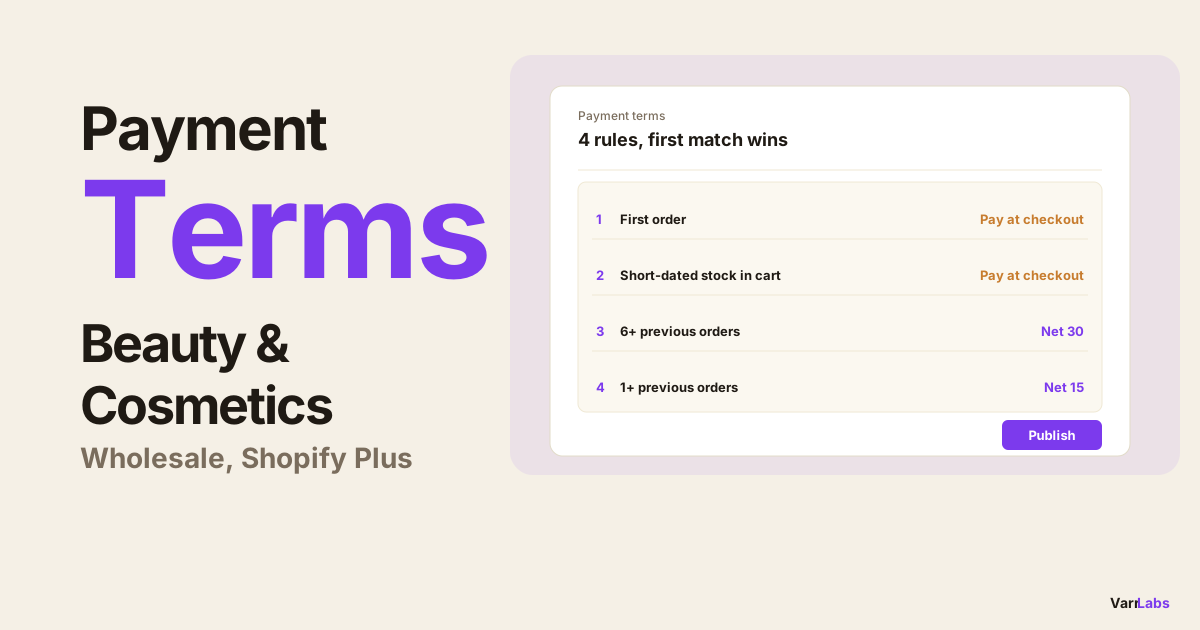
The rungs also shift by vertical. A fast-turn business runs a much shorter ladder: food and beverage distributors graduate accounts from pay-on-delivery to Net 7 to Net 15 by order count, because a perishable product's cash cycle can't carry Net 30 or Net 60 at all. Beauty and cosmetics wholesalers sit in between: small, frequent reorders start on prepay, move to Net 15 after the first order, and reach Net 30 after six.
Rolling back if the ladder is too generous
The honest risk with automating credit is that you find out you were too generous at scale rather than one account at a time. So the rollback path matters more than the setup path.
Publishing a ruleset creates a version. If the ladder turns out to be wrong, whether the thresholds were too loose or you fat-fingered a number, you roll back to the previous version in one click and the old rules are live again at the next checkout. There's no code deploy and nothing to un-edit across hundreds of company locations, which is exactly the problem the native approach leaves you with.
Before any of that, use the simulator. Build a test context for a buyer at each rung, including one exactly on each boundary, and confirm the rule you expect is the rule that fires. The two failure modes to watch for are an off-by-one on the count and two rules sitting in the wrong order, and both show up in the simulator in about two minutes.
Every publish, rollback and rule edit is written to TermStack's audit trail with who did it and what changed, which is the thing your controller will ask for the first time a buyer disputes their terms.
Common mistakes and edge cases
A few behaviours worth knowing before you turn this on.
Rules need at least one condition. There's no catch-all rule with zero conditions, so your bottom rung has to be a real condition like "previous order count is less than 2" rather than an empty fallback. Separately, there's a store-level setting for what happens when nothing matches at all: either leave checkout untouched, or apply a default outcome you define. Pick deliberately. Leaving it untouched means a buyer who somehow matches nothing gets Shopify's native terms for their location.
Direct-to-consumer checkout is unaffected. The function checks for a purchasing company on the cart. No company, no change, so your consumer checkout behaves exactly as it did before.
Conditions inside one rule are AND only. If you want "10 or more orders OR the enterprise tag", that's two rules, not one. It's a small thing but it changes how you lay the list out.
Terms can move down as well as up. Nothing about the ladder is one-way. If you tighten a threshold, buyers who no longer qualify get the tighter terms on their next checkout. That's the point, but it's worth telling your sales team before they hear it from a buyer.
When native Shopify isn't enough
Order count graduation is the clearest example of something Shopify's native B2B tooling structurally can't do. Native payment terms are a stored value on a company location. There's no evaluation step, so there's nothing to attach a condition to. You either change the stored value or you don't.
TermStack reads total order count at checkout and applies the right rung of your ladder automatically, with a simulator to test each boundary and one-click rollback if you change your mind. Try TermStack free for 14 days →
A Payment Customization Function adds that evaluation step. It runs at checkout, inside Shopify's own performance budget, with no external API call. Order count, order total, customer tag, company location and the buyer's existing Shopify-assigned terms are all available as conditions, and you combine them into whatever policy you actually run your business on.
Frequently asked questions
Summary
Terms should track behaviour. Order count is the simplest honest signal of behaviour you have, and it's already sitting in your store.
A three-rung ladder covers most wholesale businesses: a deposit for the first couple of orders, Net 30 through order nine, Net 60 after that, with an order-value ceiling on the top rung so one unusually large invoice doesn't slip through. Write it once, order the rules from the highest rung down, test each boundary in a simulator, and it runs itself.
TermStack gives you the order count condition, the simulator, the version history and the audit trail in one place, which is what makes automating a credit policy something you can defend rather than something you hope nobody asks about. If you're still auditing order counts by hand, or worse, not auditing them at all, this is the rule to build first. The five most common payment terms mistakes covers what usually goes wrong before merchants get here.