Shopify B2B Payment Terms: Native vs. App (2026 Guide)
Shopify Plus gives you static B2B payment terms per company location. Here's exactly what's native and where you need an app to get dynamic, conditional terms at checkout.
Key Takeaways
- 1Shopify Plus native B2B payment terms are assigned per company location. Every order from that buyer gets those terms regardless of order size, history, or cart contents.
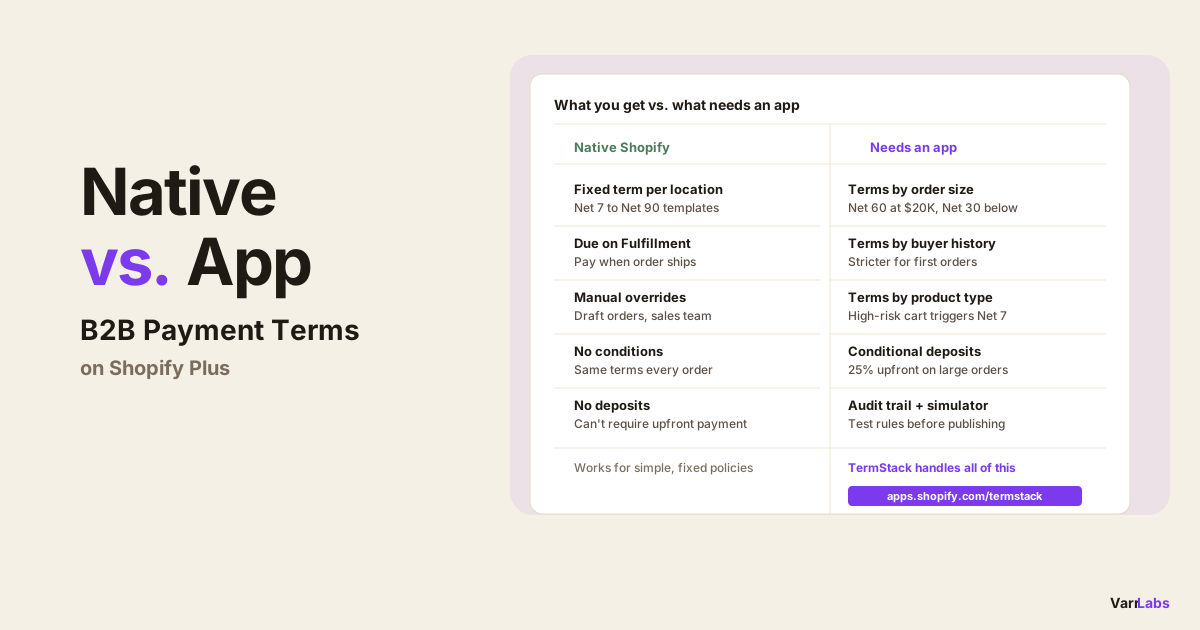
- 2You can assign any of 8 terms templates natively: Net 7, Net 15, Net 30, Net 45, Net 60, Net 90, Due on Fulfillment, or no terms.
- 3Dynamic terms that vary by order total, buyer history, product category, or company require a Shopify Function-based app. Shopify native cannot do this.
- 4Shopify Functions run at checkout in under 5ms with no external API calls. Any buyer data needed at runtime must be pre-synced as a metafield.
- 5TermStack is a no-code rules engine for Shopify Plus that handles dynamic B2B payment terms at checkout using conditions like order total, customer tags, and order history.
I get this question often from merchants evaluating Shopify Plus B2B: can I just set Net 30 for wholesale customers natively? Yes. Can I give different terms to new buyers versus established accounts, or adjust terms based on order size? No, not without an app.
Here's a clear breakdown of what Shopify handles natively and where you need a Shopify Function app to go further. If you're setting up B2B payment terms from scratch, the complete guide to B2B payment terms on Shopify Plus covers the full setup process. For a plan-by-plan view of what's native versus Plus-only in 2026, see Shopify B2B in 2026: all plans vs Plus.
What Shopify does natively
Shopify Plus gives you B2B payment terms at the company location level. You assign a payment terms template directly to each company location in the Shopify admin under Customers > Companies > [Company] > [Location]. Those terms automatically surface at checkout for that buyer.
The eight templates available natively are:
| Template | What it means |
|---|---|
| Net 7 | Payment due 7 days after the order date |
| Net 15 | Payment due 15 days after the order date |
| Net 30 | Payment due 30 days after the order date |
| Net 45 | Payment due 45 days after the order date |
| Net 60 | Payment due 60 days after the order date |
| Net 90 | Payment due 90 days after the order date |
| Due on Fulfillment | Payment due when the order ships |
| No terms | No payment terms applied |
This is static assignment. You pick a template, it sticks to that location, and every order from that buyer gets it.
It works well when:
- All orders from a given company location get the same terms
- Your terms don't change based on order size, purchase history, or product mix
- You're comfortable managing terms manually per location
For many B2B operations, especially early ones with a handful of accounts and consistent agreements, this is sufficient. One less thing to manage.
Where native Shopify breaks down
The moment you want dynamic terms, where the terms depend on something that changes order to order, you're outside what Shopify native can do.
Specifically, you cannot natively:
- Give a first-time buyer different terms than a repeat customer
- Tighten terms or require a deposit when an order exceeds a threshold
- Apply different terms based on which products or collections are in the cart
- Restrict extended terms to buyers who have placed at least one previous order
- Automatically reflect your actual credit policy at checkout without manual intervention
All of this requires reading the checkout context in real time: order total, buyer history, cart contents, company identity. Shopify's native terms are a static field on the company location. They don't evaluate conditions.
For merchants who need to enforce tiered credit policies, require deposits on large orders, or manage risk by buyer tier, native Shopify requires manual workarounds: draft orders, post-purchase invoicing, or sales team review. None of those scale. A US toy and gift wholesaler with thousands of company accounts hit exactly this ceiling, and replaced the manual layer with a handful of prioritized rules.
What a Shopify Function app adds
Shopify Functions let apps intercept checkout before the buyer sees payment options and modify what's available. A B2B payment terms app uses this to run a rules engine at checkout.
The pattern is: you define ordered rules with conditions and an outcome. At checkout, the function evaluates rules top-down and applies the first match. This is all server-side, inside Shopify's infrastructure.
TermStack is a no-code rules engine for Shopify Plus that applies the right payment terms automatically based on conditions you define: order total, buyer history, customer tags, company, collections, and more. Try it free for 14 days →
With TermStack, you can build logic like:
- First-time buyer? Require a 25% deposit.
- Order under $500? Payment due on fulfillment.
- Order over $10,000 from an established account? Net 60.
- Cart contains items from the "high-risk" collection? Net 7.
- VIP customer tag? Net 90, regardless of order size.
None of this is possible natively. You're layering a conditional rules engine on top of Shopify's payment customization API, which is the only supported path to dynamic terms at checkout.
For a deeper look at how this works in practice, see how dynamic payment terms and deposits work on Shopify Plus.
What you still cannot do, even with an app
Worth being direct about the limits. Even with a Shopify Function app:
No external API calls at runtime. The function runs in a sandboxed environment with no network access. Any buyer data that needs to influence terms at checkout, such as a live credit score, ERP balance, or external account status, must be pre-synced to Shopify as a metafield before the order. You can keep that data current via webhooks and background jobs, but there's always a window where the synced data might be slightly stale.
No OR logic within a rule. Every condition within a single rule uses AND logic: all conditions must match. To get OR behavior (for example, "large order OR high-risk product"), you write two separate rules that produce the same outcome. Both fire independently, and first-match wins.
Plus-only. B2B payment terms customization via Shopify Functions is a Shopify Plus feature. Standard plans don't have access to B2B company locations or payment customization Functions.
Payment method shaping is separate. If you want to hide, reorder, or rename payment methods at checkout, that's a different Shopify Function target. B2B payment terms apps (including TermStack) handle which terms apply, not the payment method list itself. The Checkout Blocks and B2B payment terms breakdown covers where that line sits and how the two run together.
The practical decision
If your B2B operation is simple: a fixed term per account, managed manually, no exceptions based on order size or buyer history, use Shopify native. One less app, one less thing to configure.
If you have more than one payment policy, or if your terms need to reflect anything that changes order to order, native Shopify won't do it. You need a Function-based app to evaluate conditions at checkout without manual intervention.
The advantage of doing it at checkout via a Shopify Function rather than through draft orders or post-purchase invoicing: terms are enforced automatically, every time, without anyone on your team touching the order.
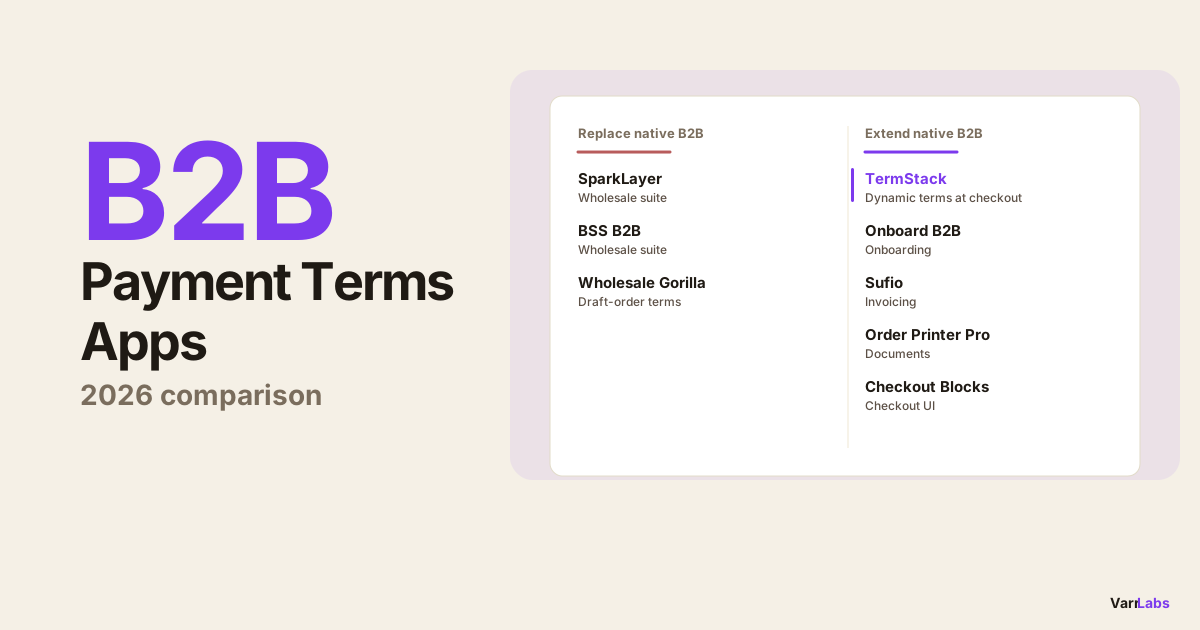
If you're weighing specific tools, this comparison of the best Shopify B2B payment terms apps breaks down which apps replace native checkout and which extend it.
Frequently Asked Questions
Summary
Shopify Plus native B2B payment terms are static: one template per company location, applied to every order. For a fixed credit policy with consistent terms by account, that's enough.
For anything dynamic, where the terms should reflect order size, buyer history, product mix, or risk level, you need a Shopify Function-based rules engine. TermStack handles this without custom code: define your rules, test them in the simulator, publish. From that point on, every B2B checkout gets the right terms automatically.