B2B Payment Terms by Customer Tier on Shopify Plus
How to automatically give Gold buyers Net 60, Silver Net 30, and new accounts payment on fulfillment on Shopify Plus using customer tags and a rules engine.
Key Takeaways
- 1Shopify Plus assigns one payment term per company location. As buyers move between tiers, you have to update each location manually, and most merchants don't.
- 2Customer tags let you define tier rules once: Gold buyers get Net 60, Silver get Net 30, untagged new accounts pay on fulfillment, all at checkout automatically.
- 3Tags can be set manually, automated via Shopify Flow on spend milestones, or synced from an ERP. The rules engine reads whatever tag is on the customer at checkout.
- 4Rules evaluate top-down, so you can layer deposit rules for first-order Gold buyers above the standard tier rules, and they fall through correctly.
- 5TermStack is a no-code rules engine for Shopify Plus that reads customer tags and seven other condition types at checkout to apply the right payment terms automatically.
Your Gold buyers earned better terms. Your new accounts haven't. Shopify Plus doesn't care. It assigns one payment term per company location and applies it to every order from that buyer, forever.
If you've been manually adjusting terms as customers move between tiers, or you're running a blanket Net 30 for everyone because it's the only way to stay consistent, that's the problem.
This post explains how to build customer-tier payment terms on Shopify Plus using customer tags and a rules engine that runs at checkout automatically. For a broader look at how B2B payment terms work, the complete guide to B2B payment terms on Shopify Plus covers the full framework.
What "tiers" actually mean
Tier-based payment terms are just: different buyers get different terms based on how you've categorized them.
In practice that looks like:
- Gold buyers, your highest-volume, lowest-risk accounts, get Net 60 or Net 90
- Silver buyers, established but not your top, get Net 30
- New or unverified buyers get payment on fulfillment, or a deposit upfront
The categorization usually lives in customer tags. You tag a company buyer as gold, silver, or new, and the rules engine at checkout reads that tag and applies the right terms.
Tags are flexible. You can set them manually, apply them automatically via Shopify Flow when a buyer hits a spend milestone, or sync them from an ERP that already tracks account tiers.
Why Shopify's native terms don't work for this
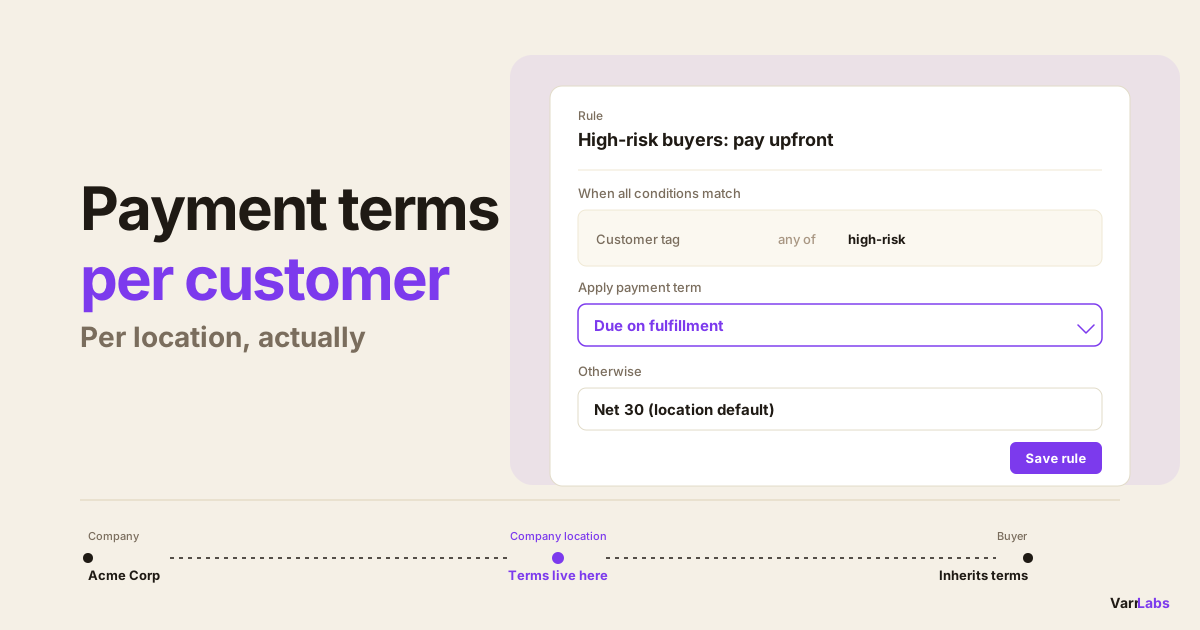
Shopify Plus assigns payment terms at the company location level. One company location, one payment term. That term applies to every B2B checkout from that buyer, regardless of any other factor. If you're unsure why there's no per-buyer setting, Shopify payment terms per customer breaks down the company, location, and buyer structure.
The problem starts when buyers change tiers. A new account graduates to Silver after their second order. A Silver account hits $100k in annual purchases and earns Gold. In Shopify's native model, you have to manually go into each company location and update the terms. Nobody does this consistently. The result is terms that drift from your actual credit policy.
Worse, there's no way to apply different terms within the same tier based on order size, product category, or payment history. You're back to the same all-or-nothing setup.
At 10 companies, manual management is annoying. At 50, it's broken. At 200, it's a liability.
The tag-based rule pattern
Customer tags are available as a condition in Payment Customization Functions on Shopify Plus. A rules engine reads the tag at checkout and applies the first matching rule.
Here's a three-tier setup:
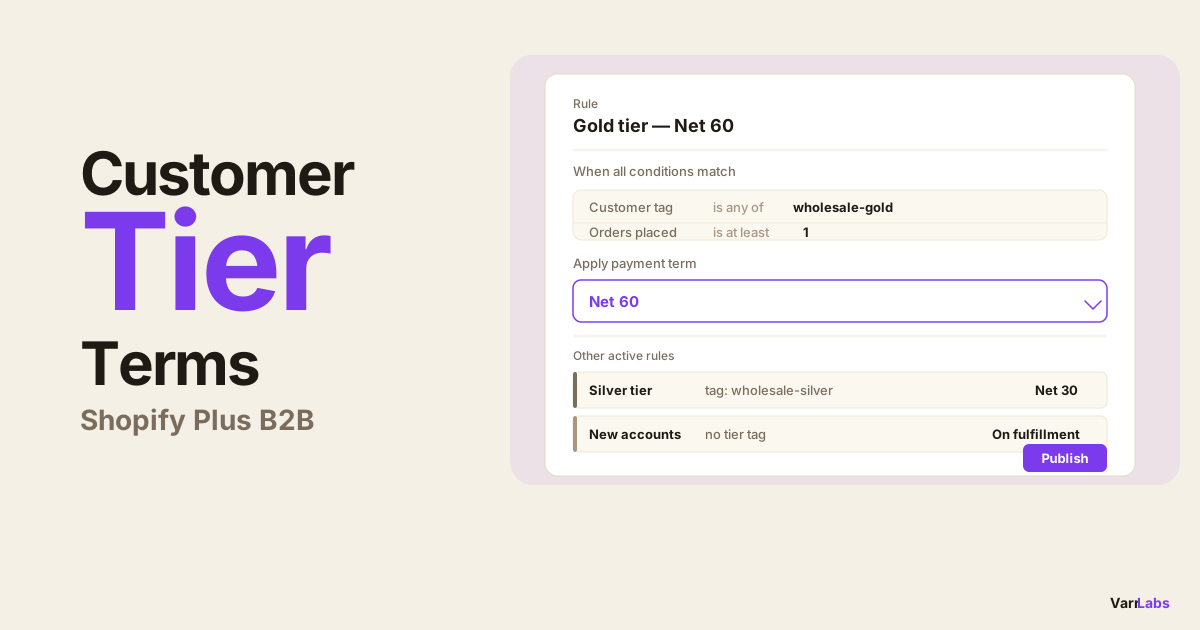
Rule 1: Gold, Net 60
Condition: customer tag includes gold
Outcome: Net 60
Rule 2: Silver, Net 30
Condition: customer tag includes silver
Outcome: Net 30
Rule 3: No tier, pay on fulfillment
Condition: customer tag does not include gold or silver
Outcome: Payment due on fulfillment
Rules evaluate top-down, first match wins. Gold buyers hit Rule 1 and stop there. Silver buyers miss Rule 1, hit Rule 2. Everyone else falls through to Rule 3.
This means you can run thousands of companies on three rules. Add a new Gold buyer? Tag them gold and the rule kicks in at their next checkout. No settings to update per company, no manual review.
How customer tags get set
Tags don't update themselves, so it's worth thinking about the mechanism:
Manual tagging. Go into Shopify admin, find the customer, add the tag. Works fine at small scale, becomes a maintenance burden past 50 companies.
Shopify Flow. Flow lets you set tags based on events. When a buyer places their second order, or when their total spend crosses $50k, Flow runs automatically and applies the tag. This is the most common approach for merchants who want tiering without ERP integration.
ERP sync. If your ERP already has account tiers, A, B, C accounts or Gold/Silver/Bronze, you can sync those tags into Shopify via your integration. The rules engine reads whatever tags are on the customer at checkout time.
Whatever the source, the tag just needs to exist on the customer when they check out.
If you'd rather skip the tagging step entirely, you can tier on order history instead. Read how to graduate B2B buyers to better payment terms by order count for a ladder that promotes buyers automatically without anyone maintaining a tag.
Adding deposits and combining conditions
Tags are one condition. You can combine them with others to get more specific.
Gold buyer, first order, require a deposit:
Conditions: customer tag includes gold AND this is the buyer's first order
Outcome: Net 60 with a 25% deposit
Put this rule above the plain Gold rule. New Gold accounts get the deposit on their first order. On subsequent orders they fall through to the no-deposit Net 60.
Silver buyer, large order, Net 30 with deposit:
Conditions: customer tag includes silver AND order total is at least $10,000
Outcome: Net 30 with a 20% deposit
You can combine customer tag conditions with order total, total order count, company, first order, and collection conditions. All conditions in a rule use AND semantics. All must match for the rule to fire. For a detailed look at combining order total thresholds with other conditions, see B2B payment terms by order value.
When native Shopify isn't enough
Shopify Plus sets one payment term per company location. There's no built-in way to vary terms by customer tag, combine multiple conditions, or require conditional deposits.
TermStack is a rules engine for Shopify Plus B2B that reads customer tags and seven other condition types at checkout, applies the right terms automatically, and keeps an immutable audit trail of every policy change. Try it free for 14 days →
TermStack runs as a Shopify Function, which means the rules evaluate at checkout inside Shopify's own infrastructure. No external API calls, no checkout slowdown.
Setting this up in TermStack
Here's how to build tier rules in TermStack:
Go to Rules, click New rule. Give it a clear name: "Gold: Net 60" or "Silver: Net 30". You'll see this name in the audit log.
Add the customer tag condition. Click Add condition, select Customer tag, choose any of, then type the tag name. You can add multiple tags to the same condition if Gold buyers have multiple tag variants like gold or wholesale-gold.
Set the outcome. Pick the payment terms type. For Net 60, select Net days and enter 60. For the no-tier fallback, select Due on fulfillment. If you want a deposit, toggle it on and enter the percentage.
Save and create all three rules. Then drag them into priority order: Gold at the top, Silver in the middle, no-tier at the bottom.
Test in the Simulator before publishing. The Simulator lets you pick a buyer and see which rule matches. Enter a Gold-tagged buyer, confirm Rule 1 fires. Enter an untagged buyer, confirm they hit Rule 3. You can see the full evaluation trace, which conditions matched and which rules were skipped.
Publish the ruleset. Once it looks right, publish. Rules compile and deploy to Shopify's checkout infrastructure. From that point forward, tag changes take effect at the next checkout with no additional action.
When does this not work?
Non-Plus plans. Payment Customization Functions, the Shopify API that powers dynamic terms at checkout, is Plus-only. Non-Plus merchants can't apply or modify payment terms at checkout.
Draft orders. Rules that fire at checkout don't apply to draft orders created manually in the Shopify admin. If your team uses draft orders for wholesale, you'll need to set terms manually on those. For a comparison of the rules engine approach against draft order workflows, see TermStack vs. draft orders for B2B.
Frequently Asked Questions
Summary
If you're managing payment terms across more than a dozen companies, the manual approach breaks down fast. Customer tags plus a rules engine means one rule can serve a thousand Gold buyers, and you only update a tag when someone's tier changes.
TermStack makes this configurable without code. Three tiers, deposits, multi-condition exceptions — you can set it up in an afternoon and publish when it looks right.