5 Payment Terms Mistakes B2B Merchants Make on Shopify Plus
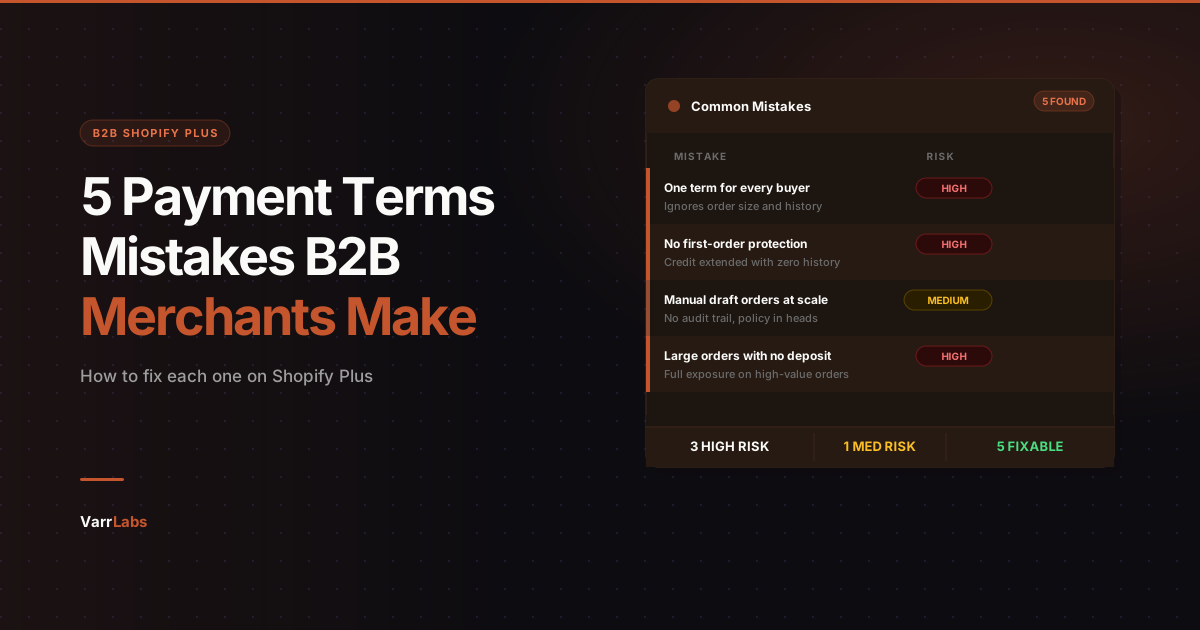
Most B2B merchants on Shopify Plus are making the same payment terms mistakes. Here are the five most common, and how to fix each one.
Key Takeaways
- 1One static payment term per buyer ignores order size and history. Tiered rules fix this automatically at checkout.
- 2First orders from new buyers need tighter terms by default. A first-order rule in TermStack automates this without anyone having to remember.
- 3Manual draft orders at scale create policy drift, inconsistent enforcement, and no audit trail.
- 4Shopify's deposit is a flat % per company location: same on every order or none. Most merchants skip it entirely, leaving large orders fully exposed.
- 5TermStack enforces all five fixes with a rules engine at checkout, including deposits, first-order conditions, and a full audit log.
Most B2B merchants on Shopify Plus know they need payment terms. Net 30, Net 60, due on fulfillment: the concepts are not complicated. What is complicated is getting them to work correctly across different buyers, order sizes, and risk profiles. Most merchants are making at least two or three of the same mistakes. Here is what those mistakes look like, and how to fix each one. For a full overview of how B2B payment terms work on Shopify Plus, see the complete guide to B2B payment terms.
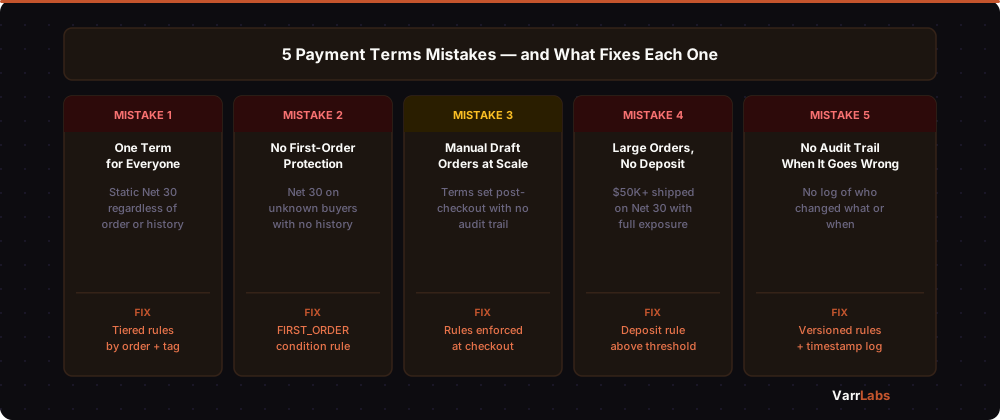
Mistake 1: One term for every buyer
Shopify Plus lets you set payment terms per company location. That is one static setting per location: it does not change based on the order, the product mix, or how long the buyer has been a customer.
That works fine when you have five wholesale accounts and they all get the same terms. It breaks down the moment your business has any nuance to it.
A $500 reorder from a buyer who has been with you for three years is a different risk profile than a $15,000 first order from a company you have never worked with. Giving them the same Net 30 is not policy. It is a default you never thought to question.
What actually makes sense for most B2B operations is a tiered approach. Established buyers above a spend threshold get looser terms. New buyers, or high-value orders from unproven accounts, get tighter terms or a deposit requirement. First orders get a different treatment entirely.
This is not unusual credit policy. It is just policy. The problem is that Shopify's native terms setup has no way to express it.
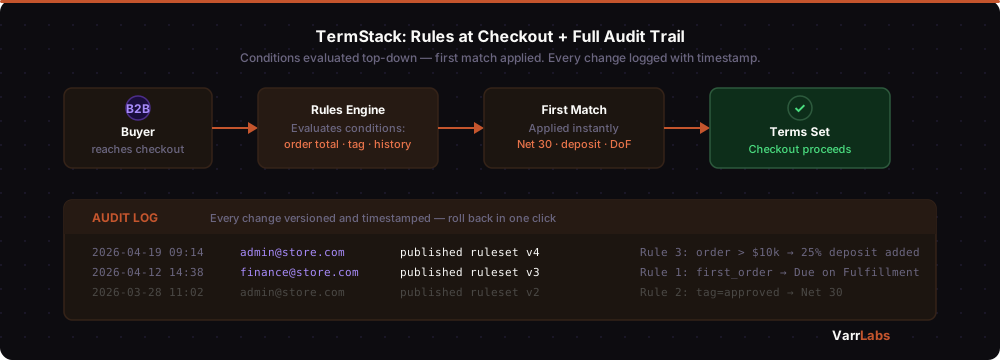
TermStack solves this with a rules engine that evaluates conditions at checkout: order total, customer tag, buyer's order history, or specific company. It applies the matching term automatically. You define the tiers once and the right terms apply without any manual intervention.
Mistake 2: No protection on first orders
Giving a brand new buyer Net 30 on their first order is one of the more common ways wholesale merchants get burned.
The logic makes sense in the moment: you want to make it easy to do business with you, the buyer asked for terms, and saying no feels like starting the relationship on a bad foot. So you set Net 30 and hope it works out.
Sometimes it does not. The company turns out to be slow-paying or a risk that never converts to a repeat buyer. You have extended credit with no prior history to justify it.
A better default for first orders is something more conservative: payment due on fulfillment, or a deposit upfront, with full terms unlocking after the first order clears. This protects you without being adversarial. Most legitimate buyers understand it.
The problem is enforcing it operationally. If your terms are set statically in Shopify, you have to remember to change the setting after the first order. Nobody does this consistently.
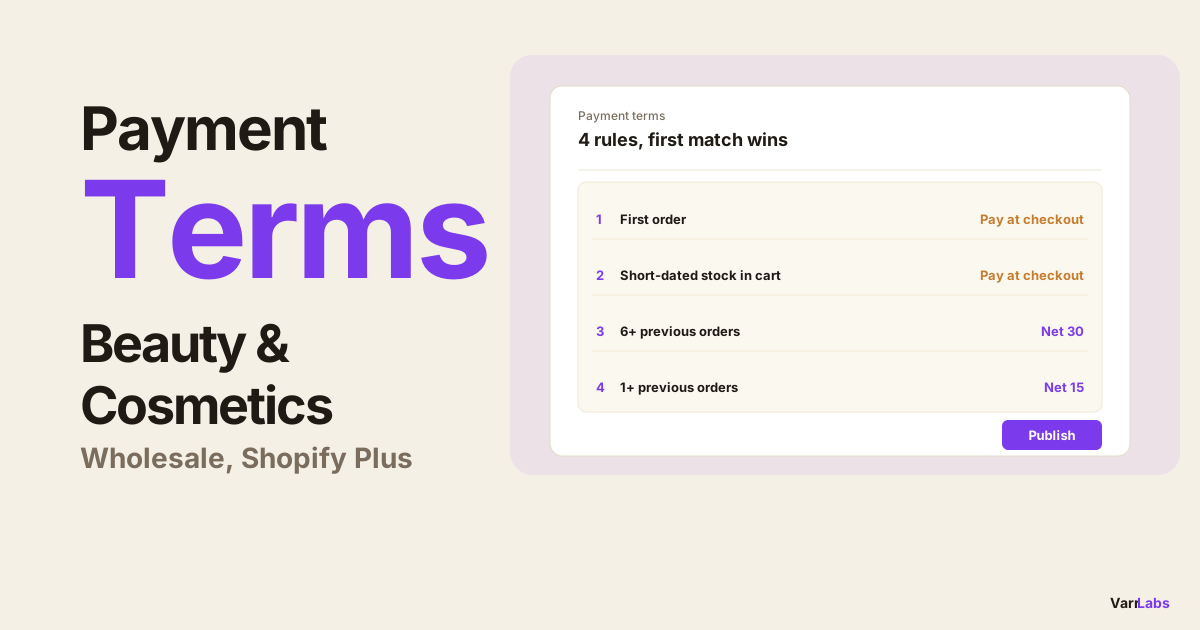
TermStack has a first-order condition built in. You create one rule: "if this is the buyer's first order, require payment on fulfillment." It runs automatically at checkout. After that first order clears, the next checkout hits your regular rules instead. No one has to remember anything.
Mistake 3: Manual draft orders as the workaround
When Shopify's native terms do not cover a use case, merchants reach for draft orders. Create a draft, set the terms manually, send the invoice, track payment separately.
At five to ten B2B orders a week this is annoying but manageable. At any real scale, it falls apart.
Every manual draft order is a judgment call that someone has to make. That person may not know the buyer's history, the credit policy, or which exceptions have been approved for which accounts. The information lives in someone's head or in a spreadsheet, not in the checkout flow.
There is also no audit trail. When a buyer disputes the terms they were given, or when a new team member needs to understand why a specific account gets Net 60, the answer is "someone approved that a while back." That is not a payment policy. It is a memory leak.
For a deeper comparison of the two approaches, see TermStack vs manual draft orders.
Draft orders have legitimate uses. Applying payment terms through them at scale is not one of them. When terms are defined as rules, the logic lives in the checkout itself. The right terms apply based on the buyer's profile and order with no human judgment required, no draft order, and no separate invoice tracking.
Mistake 4: Large orders with no conditional deposit
Shopify Plus does support deposits natively. You can set a fixed percentage on a company location and every order from that location requires the buyer to pay it at checkout. That is real and useful.
The problem is that it is a blunt instrument. The same deposit % applies to every order from that company, whether it is a $500 reorder or a $50,000 first purchase. You either require a deposit on all orders or none of them. There is no way to say "require 25% upfront on orders above $10,000, but skip it for smaller reorders."
In practice, most merchants end up doing nothing. Requiring a flat deposit on every order feels too heavy-handed for established buyers, so the setting stays empty. The result: large, high-risk orders go out on Net 30 with no deposit at all.
A $50,000 order on Net 30 with no deposit means you are shipping product and waiting a month for payment. If the buyer is slow to pay, disputes the invoice, or disappears, your exposure is significant. Even 20-25% upfront covers your cost of goods in most cases, and it screens out buyers who are not serious.
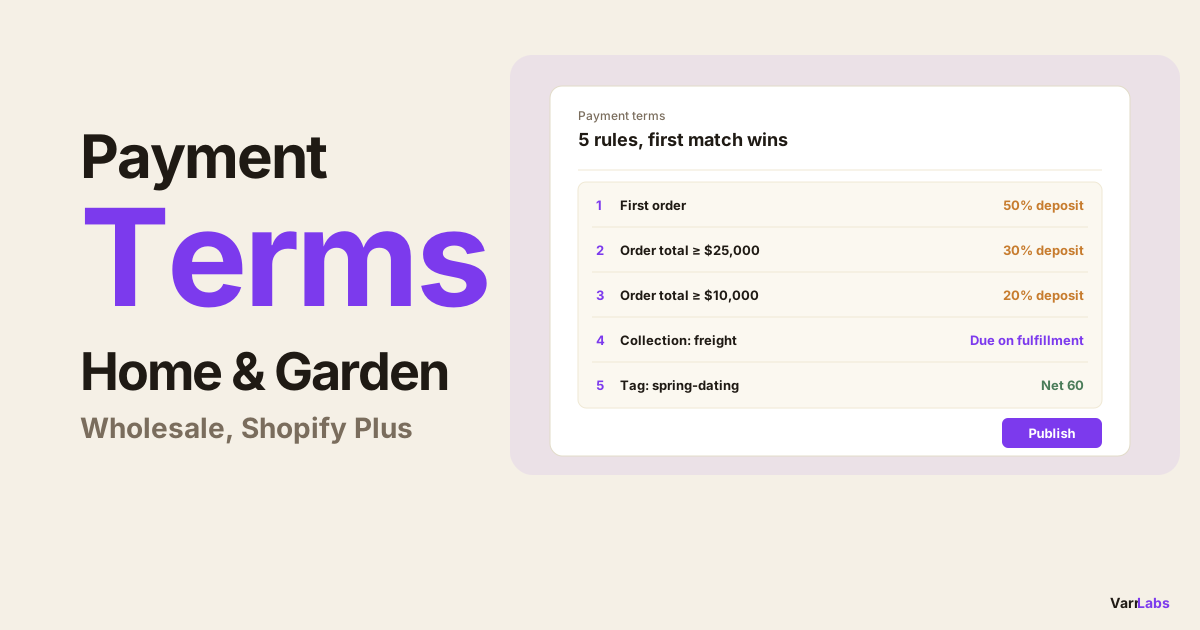
TermStack makes deposits conditional. You set a rule: orders above $10,000 require a 25% deposit, smaller orders from established accounts do not. The deposit is collected at checkout only when the condition is met. No separate invoice, no manual step, no blanket policy that alienates good buyers. For a full walkthrough of how conditional deposits work on Shopify Plus, see how to require deposits on B2B orders.
Mistake 5: No audit trail when something goes wrong
At some point, a buyer will question the terms they were given. Or a new finance team member will want to understand why certain accounts have certain settings. Or you will want to roll back a change that broke something last Tuesday.
If your terms are a static setting in Shopify, the answer to all of those questions is: you do not know. There is no log of what changed, when, or why.
This matters more than merchants expect until it becomes a problem. A buyer who received Net 60 last quarter but is now seeing Net 30 has a legitimate question. If you cannot explain why the change happened, the relationship gets awkward. If you are in a regulated industry or dealing with enterprise buyers who have audit requirements, the absence of documentation is a real issue.
Payment terms are financial policy. Financial policy changes should be logged, versioned, and explainable. Treating them as just another Shopify setting to click around in does not hold up at scale.
TermStack keeps a version history of every rules change: who made it and when. Rule sets are versioned, so you can see exactly what was live at any point. If a change breaks something, you roll back to the previous published version in one click.
If a buyer is already telling you their terms look wrong, the wrong payment terms at checkout checklist walks through the causes in the order to check them.
TermStack enforces your payment terms policy at checkout automatically. Rules for first orders, large-order deposits, tiered terms by buyer, and a full audit trail built in. Try TermStack free for 14 days →
Frequently Asked Questions
Summary
All five mistakes follow the same pattern: Shopify's native payment terms are intentionally simple, and simple tools create operational workarounds when the business gets more complex.
If that is where you are: patching terms with draft orders, setting static Net 30 for everyone, skipping deposits because they are too much work to manage manually. The fix is not more process. It is defining your policy as rules and letting checkout enforce them.
TermStack is the rules engine built for this on Shopify Plus. 14-day free trial, no credit card required.