Conditional Payment Terms Upgrades on Shopify Plus
Give B2B buyers who already have Net 7-60 a conditional upgrade to Net 90 on orders over $1,500 on Shopify Plus, using their existing terms as the rule.

Key Takeaways
- 1Shopify Plus assigns one static payment term per company location. It can't read that term at checkout or use it to decide anything, so conditional upgrades are impossible natively.
- 2The flagship pattern: buyers who already have Net 7-60 get upgraded to Net 90 on orders over $1,500. Accounts with no terms don't match, so they're excluded automatically.
- 3The buyer's existing term is a signal you already paid to generate through your credit process. Reading it as a condition means the upgrade only ever reaches accounts you approved.
- 4Setup reads each buyer's current terms from Shopify once on first publish, then stays current on its own. No ongoing export or manual refresh.
- 5TermStack is a no-code rules engine for Shopify Plus that reads a buyer's existing payment terms and seven other conditions at checkout to apply the right terms automatically.
You already decided which buyers deserve credit. You set them up with Net 30, Net 60, whatever their account earned. So why does a trusted buyer with Net 30 get the exact same terms on a $200 reorder as they do on a $5,000 restock?
On Shopify Plus, payment terms are static. One term per company location, applied to every order, forever. There's no native way to say "this buyer already has terms, so give them more room on a bigger order." The account you already trust gets no reward for being a bigger, safer account today than it was when you set it up.
This post covers a conditional payment terms pattern that fixes that: reading a buyer's existing payment terms and using it as the condition for a better one. If you want the broader picture first, the complete guide to B2B payment terms on Shopify Plus lays out the full framework.
Your existing terms are a signal
Here's the thing most merchants miss. The payment term a buyer already has is itself a piece of data about that account.
A buyer sitting on Net 60 has been through your credit process. A buyer with no terms at all hasn't, or didn't qualify. That distinction is useful, and Shopify already stores it. You just can't act on it at checkout.
So instead of treating the existing term as a fixed setting, treat it as a condition. If this buyer already has Net 7 through Net 60, and this order is over $1,500, give them Net 90. Accounts with no terms don't match, so they're left exactly where they are. You're rewarding accounts that already earned trust, and only on orders big enough to matter.
Why Shopify can't do this natively
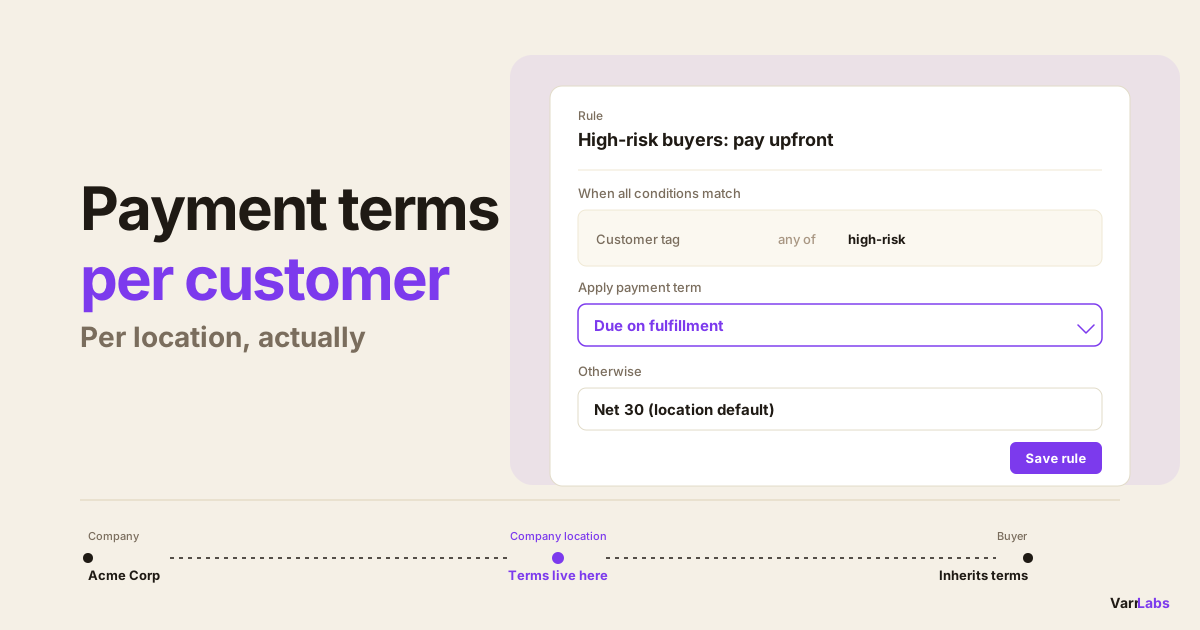
Shopify Plus assigns payment terms at the company location level. You open a company location, pick a term, save. That term is now attached to every B2B checkout from that buyer.
Two things make conditional upgrades impossible in that model:
- Terms are static. There's no logic layer. The term doesn't change based on order size, cart contents, or anything else about the specific checkout. It's a stored value, not a decision.
- The current term isn't readable at checkout. Even if you wanted to branch on "does this buyer already have terms," native Shopify gives you nowhere to write that rule. Checkout applies the stored term and moves on.
The manual workaround is to keep two company locations per buyer, or to bump a buyer's term up before a big order and back down after. Nobody does that consistently. It drifts, and it's exactly the kind of thing that turns into a credit-risk problem six months later. For a fuller look at where the native tools stop, see Shopify B2B payment terms: native vs. app.
The flagship pattern: upgrade earned accounts on large orders
This is the rule I'd set up first. It runs on Shopify Plus through a Payment Customization Function that evaluates rules at checkout.
Rule: reward trusted buyers on big orders
- Condition: the buyer's existing payment terms are any of Net 7, Net 15, Net 30, Net 45, or Net 60.
- Condition: the order total is at least $1,500.
- Outcome: Net 90.
Walk through what happens at checkout:
- A buyer with Net 30 places a $2,000 order. Both conditions match. They get Net 90 on this order.
- The same buyer places a $400 order. The order total condition fails. They keep their normal Net 30.
- A brand-new account with no terms places a $2,000 order. The existing-terms condition fails, because there's no term to match. They're excluded, and they check out on whatever your default is.
That last line is the important one. By making "already has Net 7-60" a required condition, accounts with no terms are excluded automatically. You never accidentally hand Net 90 to a buyer who hasn't been through credit. The upgrade only ever flows to accounts you already approved.
Because rules evaluate top-down and the first match wins, you can stack this above your normal terms. Put the upgrade rule at the top, your standard per-tier rules below it. Big orders from trusted buyers hit the upgrade and stop. Everything else falls through to the normal terms.
| At checkout | Existing term | Order total | Result |
|---|---|---|---|
| Trusted buyer, large order | Net 30 | $2,000 | Upgraded to Net 90 |
| Trusted buyer, small order | Net 30 | $400 | Keeps Net 30 |
| Unvetted account, large order | None | $2,000 | Excluded, stays on default |
The one honest caveat: the first sync
There's one thing to know. For a rule to read a buyer's existing terms, those terms have to be available to the checkout. The initial setup reads every buyer's current terms from Shopify once, when you first publish a rule that uses them. After that it stays current on its own as accounts change. You set it up once and don't think about it again.
That's the whole footnote. It's not a nightly export you babysit or a spreadsheet you re-upload.
Two more patterns worth stealing
Once you can branch on existing terms, a few other policies get easy.
Waive the deposit, but only for accounts that already have terms. Say you normally require a 20% deposit on first orders. You'd like to waive it for established buyers, but not for unvetted new accounts. Make "already has Net 7-60" the condition for the waiver. Trusted accounts skip the deposit; no-terms accounts still pay it. This is the mirror image of the upgrade rule, and it uses the same signal. If you want the deposit mechanics in depth, see dynamic payment terms and deposits on Shopify Plus.
Run different policies for pay-on-fulfillment accounts vs. net-terms accounts. Some buyers pay when the order ships. Others are on true net terms. Those are different risk profiles, and you might want different rules for each: tighter order caps on the pay-on-fulfillment group, more room for the net-terms group. Because the existing term is readable as a condition, you can target each group directly instead of managing them by hand.
Layer it with order size. The upgrade rule already combines existing terms with an order total threshold. You can push that further, with different upgrade tiers at different order sizes, using the same building blocks. The B2B payment terms by order value post goes deep on order-total thresholds.
When native Shopify isn't enough
Shopify Plus gives every buyer one static term. It can't read that term at checkout, can't branch on it, and can't upgrade an account conditionally based on it.
TermStack reads a buyer's existing payment terms at checkout and upgrades them conditionally, so trusted accounts get more room on big orders while unvetted accounts stay put. Try TermStack free for 14 days →
TermStack runs as a Shopify Function, so rules evaluate at checkout inside Shopify's own infrastructure. No external calls, no checkout slowdown, and a Simulator to test a rule against a real buyer before you publish it. Every change is logged in an immutable audit trail, which matters when finance asks why a buyer got Net 90.
Frequently Asked Questions
Summary
Your buyers already told you who they are. The term you assigned each account is a signal you paid to generate, through your credit process, and Shopify just lets it sit there. Reading that term as a condition means trusted accounts get more room on the orders that matter, and unvetted accounts stay exactly where they are, with no manual review per checkout.
TermStack makes this configurable without code: set the upgrade rule, test it in the Simulator, and publish when it looks right.