Shopify Scripts Stopped: How to Restore B2B Payment Terms
Shopify Scripts stopped running on July 1, 2026. If your B2B checkout behavior changed, here's what broke, what didn't, and how to restore it with Shopify Functions.
Key Takeaways
- 1Shopify Scripts stopped running on July 1, 2026. Any active Scripts in the Script Editor Payments tab are no longer executing.
- 2Scripts could hide or reorder payment methods but could not set B2B payment terms like Net 30 or require deposits. Native company location terms were not affected.
- 3The direct replacement is a Payment Customization Function (cart.payment-methods.transform.run), which has full B2B context Scripts never had.
- 4TermStack installs in minutes, ships a Payment Customization Function to your store, and gives you a no-code rules engine to rebuild your payment logic.
- 5Most merchants can define their replacement ruleset and publish within an hour of installing.
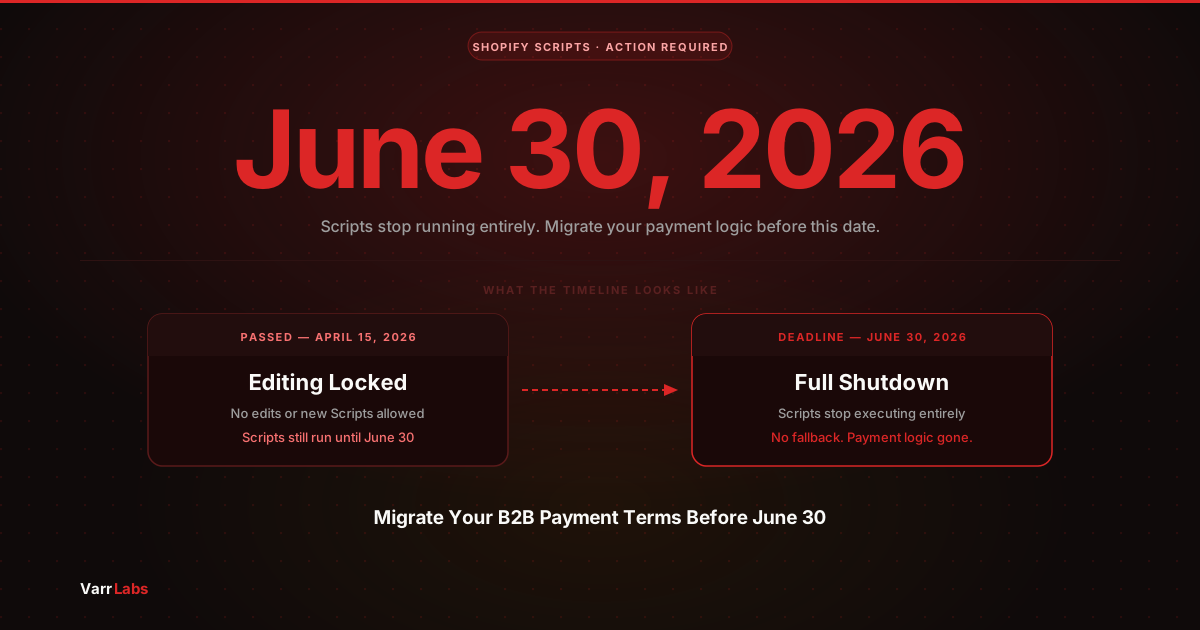
If you woke up this week and found your B2B payment terms not applying correctly at checkout, Scripts is probably why. Shopify Scripts were officially retired on June 30, 2026. As of July 1, they don't run.
If your store had any active Scripts in the Script Editor, those Scripts stopped executing. If you used Scripts to influence payment behavior at checkout, that logic is gone.
This post covers what happened, what you can actually restore, and what path gets your B2B payment terms working again.
What stopped and what didn't
The distinction that matters: Shopify Scripts could hide, rename, or reorder payment methods at checkout. They could not set B2B payment terms like Net 30 or require a deposit.
So if your Scripts were handling payment method display (showing only invoice-based options for certain buyers, hiding certain methods), that stopped on July 1.
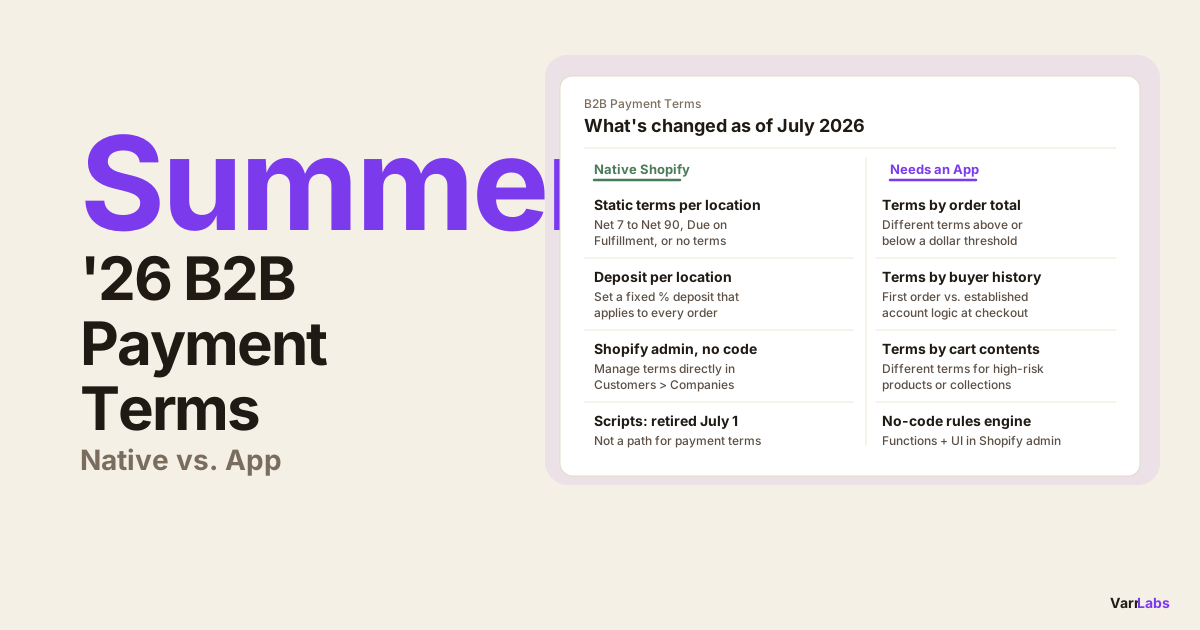
If your B2B payment terms (Net 30, Net 60, deposits) were set natively in Shopify at the company location level, those are still working. Native terms are stored on the company location record and don't depend on Scripts at all.
What stopped:
- Any Scripts in the Script Editor Payments tab
- Payment method filtering, ordering, or renaming that Scripts handled
- Any checkout workarounds built on Script-based payment method logic
What kept working:
- Native B2B payment terms assigned to company locations in Customers > Companies
- Any existing Payment Customization Function apps already installed on your store
- Shopify's built-in payment method display
To confirm what was active on your store, go to Apps > Script Editor and check the Payments tab. If you see Scripts listed there, they're the ones that stopped.
Why Scripts couldn't handle real B2B terms
This is worth understanding before you rebuild, because some merchants cobbled Scripts together to approximate payment policy.
Scripts ran in Ruby in Shopify's checkout pipeline. They had access to the cart and some buyer properties. But they had a hard limit: they couldn't write to B2B payment terms fields. The only things Scripts could do was control which payment methods appeared and in what order.
To actually set Net 30, require a deposit, or apply Due on Fulfillment at checkout, you needed the Payment Customization Function API. That's a different system entirely, and it has always been Function-based.
If you were using Scripts to hide "Pay now" for certain buyers and then invoicing them manually afterward, that's the workflow that just broke. The manual invoicing still works, but the Scripts-based filtering doesn't.
How a Payment Customization Function replaces Scripts
Shopify Functions let apps intercept checkout and modify payment behavior. The Payment Customization Function has access to B2B context that Scripts never had: company, company location, buyer role, cart total, order history, and buyer tags.
Building a custom Function requires Rust or JavaScript compiled to WebAssembly, Shopify CLI for local testing, and a Shopify app to host the Function on your store. If you want the DIY path, the complete migration guide from Shopify Scripts to Functions covers that in detail.
For most merchants, the faster path is a Payment Customization Function app.
When you still need an app
TermStack installs in minutes, ships the Payment Customization Function to your store, and gives you a rules engine to define your logic without writing code. Start your 14-day trial and get your terms working again today.
TermStack ships a Payment Customization Function to your store and gives you a no-code rules engine to configure the logic. You define conditions and outcomes in the Shopify admin. The Function evaluates them at checkout.
What you can configure:
- Apply Net 30, Net 60, or any other payment terms based on order total, buyer tags, company identity, or order history
- Require a deposit (fixed amount or percentage) for new buyers or large orders
- Apply different terms for specific company locations or collections in the cart
- Set a fallback term when no rule matches
For an overview of what conditions and outcomes are available, see how to set B2B payment terms by order value on Shopify Plus.
How to restore your B2B payment logic
Step 1: Audit what Scripts were doing
Go to Apps > Script Editor in your Shopify admin, then check the Payments tab. Note what each Script was doing: which buyers it targeted, what payment methods it showed or hid, and what conditions it checked.
Step 2: Decide what to rebuild
Not everything Scripts did is worth recreating. Some of that logic was working around the lack of native B2B payment terms. Now that Functions give you direct control over terms and deposits, you can replace a complex Scripts workaround with a cleaner rule.
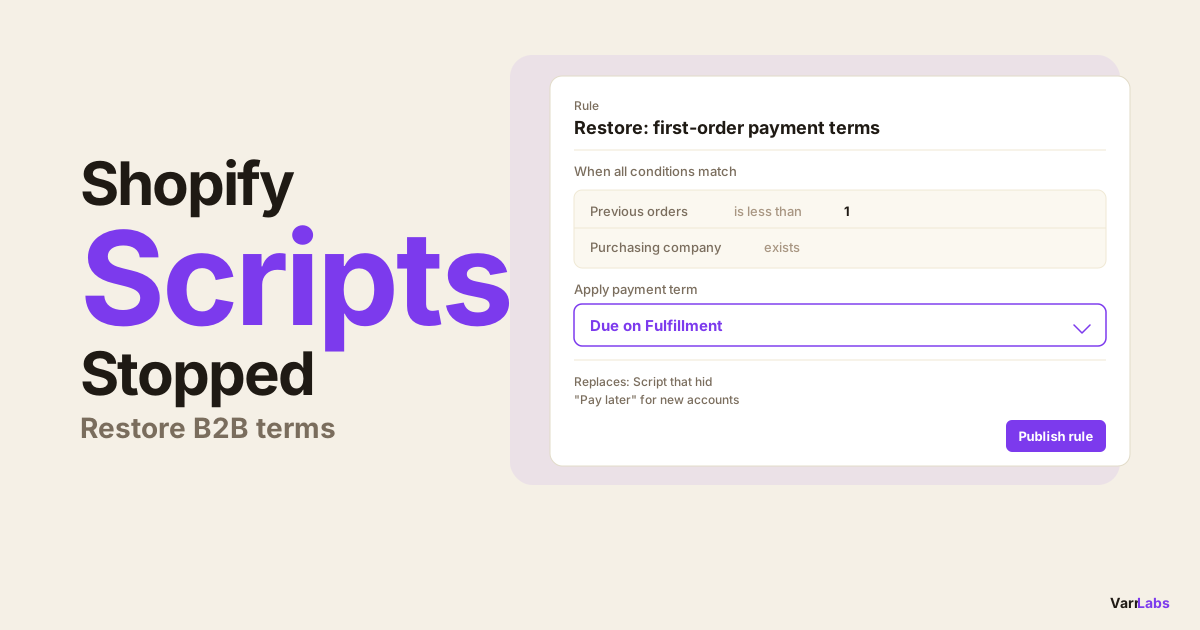
For example: if your Script hid "Pay later" for new buyers because you didn't trust them with credit, you can now configure Net 7 or Due on Fulfillment for buyers with fewer than 2 previous orders. Same outcome, cleaner setup, enforced automatically.
Step 3: Install a Function app or build your own
If you're going the no-code route, install TermStack and go through the onboarding flow. It creates the Payment Customization in your store and activates the Function. The whole setup takes a few minutes.
If you're building custom, use Shopify CLI (shopify app function run) to build and test locally before deploying.
Step 4: Rebuild your rules
Map each Script behavior to a Function-based rule:
- Script hid "Pay later" for first-time buyers → rule: Due on Fulfillment for buyers with 0 previous orders
- Script required upfront payment for certain tags → rule: no terms (immediate payment) for buyers tagged "new-account"
- Script filtered to invoice-only for Net accounts → rule: Net 30 or Net 60 for established company locations
- Script required larger deposit for high-value carts → rule: 25% deposit for orders over $10,000
Step 5: Test before publishing
Use the TermStack simulator to test each rule against different buyer profiles before publishing. Input a company, location, order total, and buyer tags and confirm which rule would match. For a custom Function, use shopify app function run with a test input file.
Frequently Asked Questions
Summary
Shopify Scripts stopped running on July 1, 2026. If your B2B checkout behavior changed, audit the Script Editor and identify what those Scripts were doing. Native payment terms at the company location level were not affected.
To restore dynamic payment logic, you need a Payment Customization Function. The fastest path without a development team is TermStack, which ships the Function and gives you a no-code rules engine to rebuild your policy in under an hour.