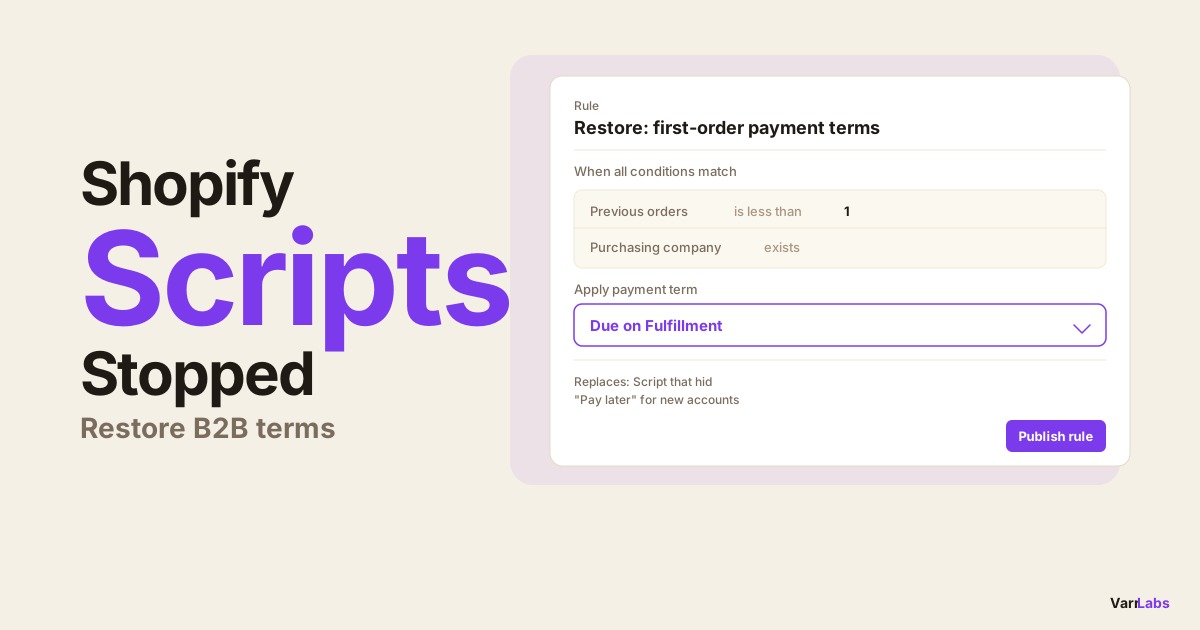
Shopify Scripts Are Locked: Migrate Your B2B Payment Terms Before June 30
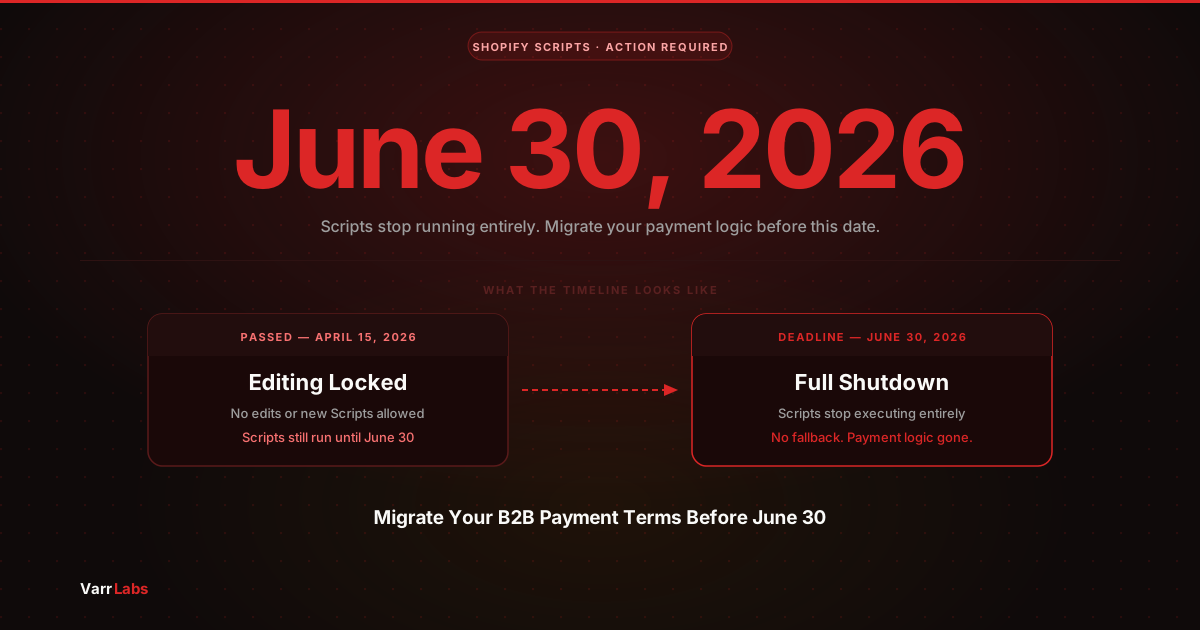
Shopify Scripts editing locked on April 15. Scripts stop running entirely on June 30, 2026. Here's what that means for B2B payment logic and how to migrate before the deadline.
Key Takeaways
- 1Scripts editing locked April 15. You can no longer make changes to any Script, but they still run until June 30.
- 2June 30 is a hard shutdown. Scripts stop executing entirely. Any payment method logic they handled disappears with no fallback.
- 3Scripts could show, hide, or rename payment methods conditionally. They could not set payment terms (Net 30/60) or deposits. Functions can do both.
- 4Migration path: custom Payment Customization Function if you have dev capacity, or an app like TermStack if you want to skip the build entirely.
If you used Shopify Scripts to manage payment logic at checkout, here is where things stand right now.
April 15 passed. Scripts editing is locked. You can no longer make changes to any Script. They are still running, so your buyers are not affected today. But the clock is ticking. June 30 is when Scripts shut down completely.
You have roughly 75 days to migrate.
This post is specifically about payment-related Scripts: logic that controlled which payment methods appear at checkout, showed or hid options like "Pay by Invoice" based on customer attributes, or filtered gateways by order total or buyer type. If your Script does any of that, this is the one to read.
For a broader overview of B2B payment terms on Shopify Plus, see the complete guide to B2B payment terms. If you want detail on the full technical migration from Scripts to Functions, the migration deep-dive covers that in full.
What "locked" actually means
There are two phases to this deprecation.
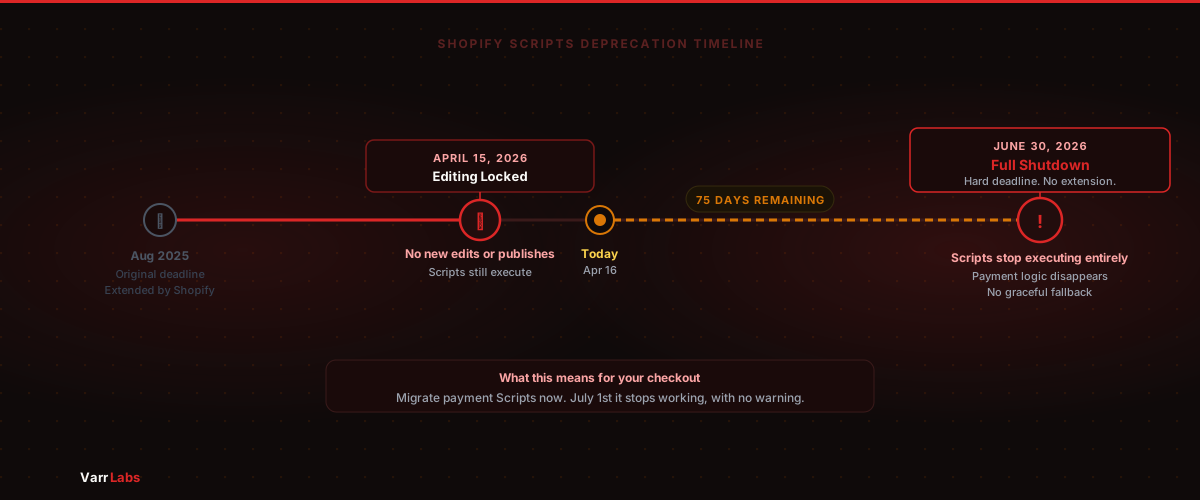
The first phase happened April 15. Shopify stopped accepting Script edits or new publishings. Your existing Scripts still run at checkout exactly as they did before. Nothing breaks for merchants today. You just cannot fix anything if it does break, and you cannot add new logic.
The second phase is June 30. That is when Scripts stop executing entirely. If you have not migrated by then, any payment method logic your Scripts were handling disappears. Buyers who were shown "Pay by Invoice" based on their customer tag will stop seeing it. Methods that were hidden based on order size will reappear. Payment method filtering that was conditionally applied will revert to defaults.
There is no graceful fallback. Scripts off means that logic is gone.
Who this actually affects
Most merchants using Shopify Scripts used them for discount logic or shipping customizations. Payment-related Scripts were less common, but they were the primary tool for conditional payment method behavior at checkout before Shopify Functions existed.
Check your Scripts in your Shopify admin under Apps > Script Editor. The ones that matter for this migration are any Scripts that touch the Payments section, specifically any customization of which payment gateways appear at checkout.
Common things merchants built with payment Scripts:
- Hiding payment methods for B2B customers (show bank transfer, hide credit card)
- Showing a "Pay by Invoice" option only for buyers with a specific customer tag
- Requiring a specific payment method for orders above a threshold
- Filtering available payment options by company or buyer type
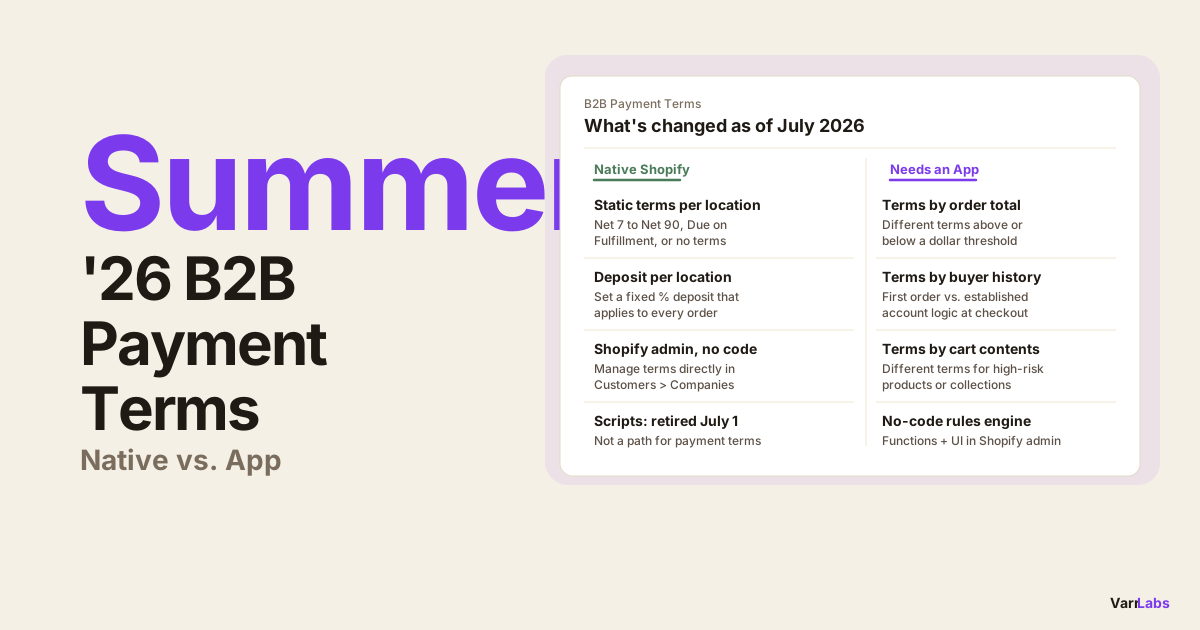
One important clarification: Shopify Scripts could not set B2B payment terms like Net 30 or Net 60 directly, and could not configure deposit requirements. Those capabilities live in the Shopify B2B Companies feature (native, static terms) and the Payment Customization Function API (conditional, dynamic terms). If you assumed your Scripts were handling terms assignment, they were not. But if they were handling which payment methods appear at checkout, that logic needs to move.
If you never built payment Scripts and you set your B2B payment terms through Shopify's B2B Companies feature (Customers > Companies > Locations), you are not affected by this migration. That is a different system entirely.
The migration path
Payment Customization Functions are the replacement for payment Scripts. They run at checkout, have access to the same context (buyer info, cart, company data), and can apply conditional logic to payment methods and terms.
The difference from Scripts: Functions are written as WebAssembly modules (Rust, JavaScript, AssemblyScript), deployed through Shopify CLI, and live in your app's codebase rather than a UI editor.
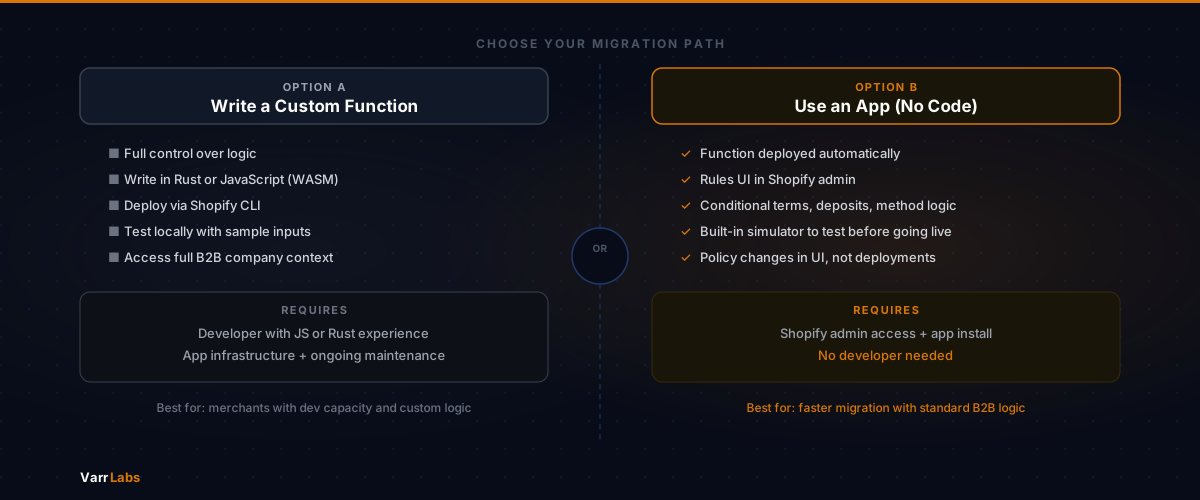
Option A: Write a custom Function
If you have a developer or you are one yourself, the Payment Customization Functions API is straightforward for common cases. Here is the general shape of what a migration looks like.
A Scripts-based "hide credit card for B2B customers" looked something like this:
Input.cart.customer.tags.each do |tag|
  next unless tag.include?("b2b")

  gateways = Output.cart.payment_gateways
  filtered = gateways.reject { |g| g.name == "Credit Card" }
  Output.cart.update(payment_gateways: filtered)
end
The equivalent in a Payment Customization Function (JavaScript extension target) checks the same condition but operates on the Function's input object:
export function run(input) {
  const operations = [];

  const isB2BBuyer = input.cart.buyerIdentity?.purchasingCompany;
  if (!isB2BBuyer) return { operations };

  const creditCard = input.paymentMethods.find(
    (m) => m.name.includes("Credit Card")
  );

  if (creditCard) {
    operations.push({
      hide: { paymentMethodId: creditCard.id },
    });
  }

  return { operations };
}
The logic is the same. The execution environment is different.
For payment terms specifically, the Payment Customization Functions API also lets you apply conditional terms dynamically at checkout using the paymentTerms operation in the Function output. This requires the buyer to be associated with a Shopify B2B Company, but if you are already set up that way, migrating the conditional logic is mostly a rewrite, not a restructure of your data.
Shopify's documentation for this is reasonably complete. Start with the Payment Customization Functions reference in the dev docs and the cart.payment-methods.transform.run extension target.
Option B: Use an app (no developer required)
If your payment Scripts handled payment method logic for B2B buyers and you do not want to write a Function from scratch, there are apps built on the Payment Customization Functions API that handle this without code.
TermStack is one. It ships a Payment Customization Function to your store and lets you define rules through a dashboard:
- If the buyer is a B2B company and the order total is over $10,000, apply Net 60
- If it is the company's first order, require a 20% deposit
- If the customer tag includes "vip-tier", apply Net 90
These rules run at checkout the same way your Script did. You configure them through a UI, not code. The underlying execution is a Payment Customization Function you do not have to build or maintain.
This covers the 80% of payment Scripts use cases: conditional method visibility, payment terms by buyer tier, and deposit requirements on first orders. If your Script was doing something highly custom with complex multi-tier logic, you will likely still need a developer for the migration.
TermStack handles the Function deployment and gives you a rules UI to configure your payment terms and method logic without code. Define conditions, test with the simulator, go live before June 30. Try TermStack free for 14 days →
What to do right now
First: Open your Shopify admin, go to Apps > Script Editor, and look at your current Scripts. Check which ones are payment-related. If you have none, you are done.
If you do have payment Scripts: Document exactly what they do before June 30. The editing window is closed, but you can still read the Script code. Copy it somewhere. Understand the conditions, the outcomes, and the edge cases. This is the spec for your migration.
Then decide on your migration path. Custom Function if you want full control and have development capacity. App if you want to move faster and the logic covers standard payment method filtering and B2B payment terms.
Either way, do not wait until late June. The more complex your existing Script, the more time your migration needs for testing. Staging environment testing for Functions is doable but it takes time to set up properly.
The Scripts shutdown is a hard date. There is no extension coming.