Shopify Company vs Company Location: Where Terms Live
In Shopify B2B, payment terms live on the company location, not the company. Here's what sits at each level and why setting Net 30 on the company fails.
Key Takeaways
- 1A Shopify company is a container. A company location is where payment terms, catalogs, checkout settings, and addresses actually live.
- 2Terms are stored per company location. Every company has at least one location, and that location is what checkout reads.
- 3Buyers check out under a specific location, so checkout reads that location's terms, not the company's.
- 4If a company has more than one location, each location has its own terms. Setting Net 30 on one doesn't cover the others.
- 5TermStack rules can target a whole company (all its locations) or a single location, so terms follow the buyer correctly.
If you run B2B on Shopify Plus, you have probably set a payment term you were sure would apply, then watched a buyer get asked to pay at checkout anyway. Usually the cause is the same: you set the term in the wrong place.
The confusion comes from two objects that sound almost identical. A company and a company location. They are not the same thing, and only one of them holds payment terms.
This post breaks down what a Shopify company is, what a company location is, which settings live at each level, and why "I set Net 30 on the company" doesn't do what most merchants expect. If you are new to the topic, start with the complete guide to B2B payment terms on Shopify Plus and come back here for the structure.
What a company and a company location actually are
In Shopify B2B, a company is the top-level business account. Think of it as the folder. It holds the company name, the main contact, the people who can buy, and one or more locations. On its own, a company doesn't decide how anyone pays.
A company location is the operational unit inside that folder. It is where the real settings live: payment terms, the catalog a buyer sees, checkout behavior, and the billing and shipping addresses. When a buyer places an order, they place it under a location, not under the company.
Every company has at least one location. When you create a company in Shopify, it creates a default location for you automatically. You can add more, one per warehouse, region, or business unit, but there is always at least one.
Which settings live at the company vs the location
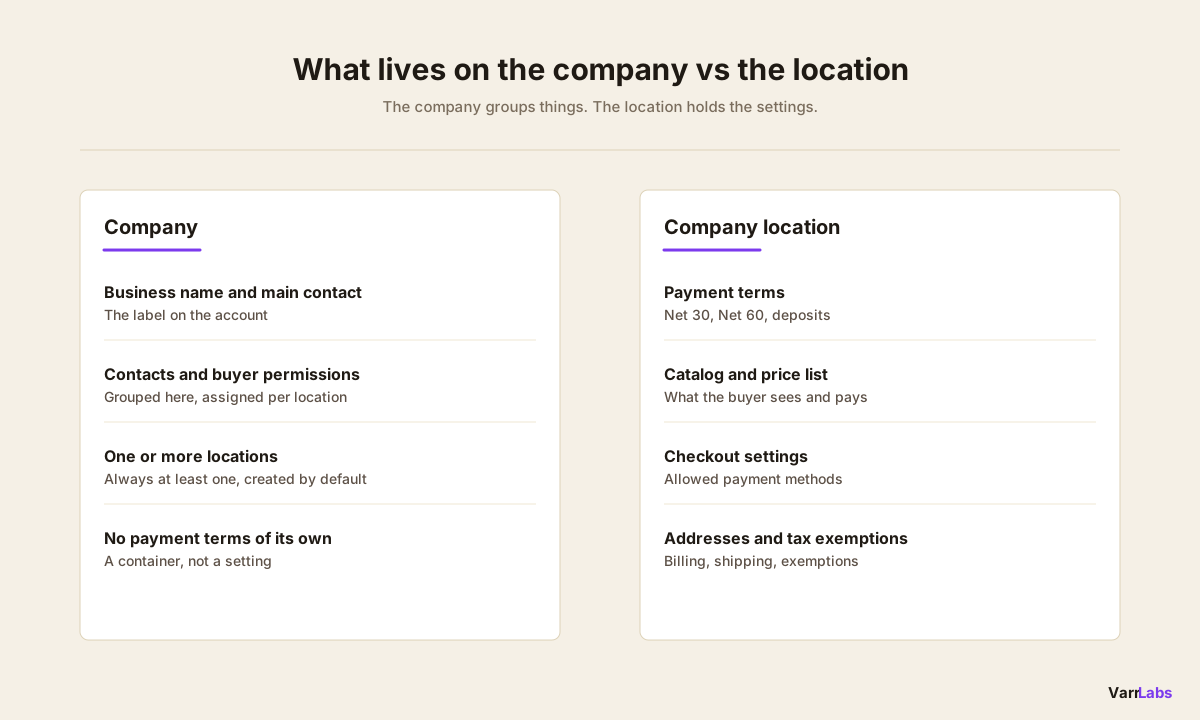
The quickest way to stop guessing is to memorize what belongs to each level. The company is mostly a container. Almost everything operational sits on the location.
| Setting | Company | Company location |
|---|---|---|
| Business name and main contact | Yes | No |
| Contacts and buyer permissions | Grouped here | Assigned per location |
| Payment terms (Net 30, Net 60, deposits) | No | Yes |
| Assigned catalog and price list | No | Yes |
| Checkout settings and payment methods | No | Yes |
| Billing and shipping addresses | No | Yes |
| Tax exemptions | No | Yes |
If a setting affects how an order is priced, paid, or shipped, it lives on the location. The company just tells Shopify which locations and people belong together.
Where payment terms actually live
Payment terms live on the company location. Even when the admin lets you set a term from the company view, it is applied to a location underneath, and each location keeps its own terms.
To set them, go to Customers → Companies, open the company, then open the location. The payment terms option, from Due on Receipt through the various Net terms like Net 30 and Net 60, sits on that location page. For a full walkthrough of the native setup, see how to set up Net 30 on Shopify Plus.
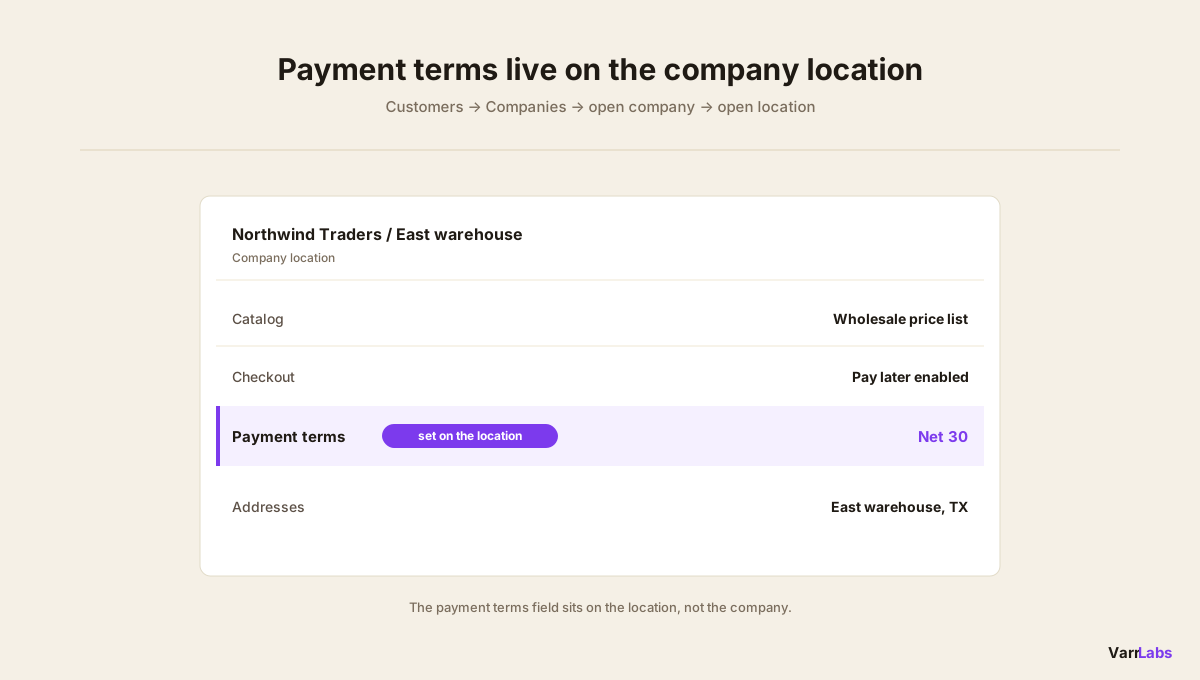
Here is the part that trips people up. Even when a company has a single location, you are still editing that location when you set terms. The company page surfaces the setting, but the term is stored on the location underneath it. So "I set Net 30 on the company" is really "I set Net 30 on this company's one location." That works cleanly until a second location shows up with its own terms.
Why setting it on the company doesn't do what you expect
The mental model that breaks is assuming one term on the company governs everything under it forever. Each location carries its own terms, so a single company can hold several different ones.
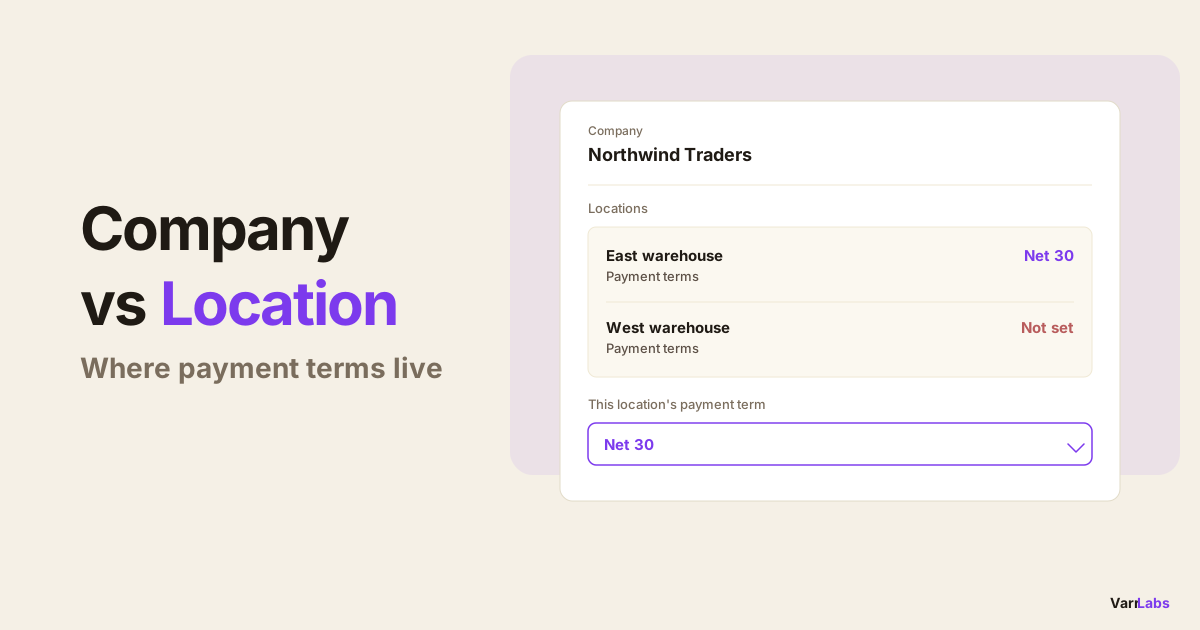
Say you have a company, Northwind Traders, with two locations: an East warehouse and a West warehouse. You set Net 30 while looking at the East location and move on. The West location still carries whatever it was set to, which may be nothing. A buyer ordering under West gets asked to pay at checkout, because a location with no payment terms behaves as due immediately.
This shows up in a few predictable ways:
- Multi-location companies. You set terms on one location and assume the whole company is covered. Each location is its own setting, so the others can differ.
- Locations you never configured. A term on one location doesn't automatically govern a separate location you added later. That new location keeps whatever it started with until you set it.
- Buyers attached to the wrong location. A contact can belong to more than one location. If they check out under a location you never configured, your carefully set Net 30 is invisible to them.
None of this is a bug. It is just the model. The location is the unit that carries terms, and checkout reads the location the buyer is ordering under. The company name on the account is not part of that decision.
When native company and location settings aren't enough
Native terms are static and per location. That is fine for a handful of accounts. It gets painful when you have dozens of companies, each with several locations, and you want consistent policy without editing every location by hand.
That is the gap TermStack fills. Instead of setting a fixed term on each location, you write rules that decide terms at checkout, and those rules can target either level. You can target a whole company, meaning every location under it, or a single location when one warehouse needs different treatment.
A rule reads in plain language:
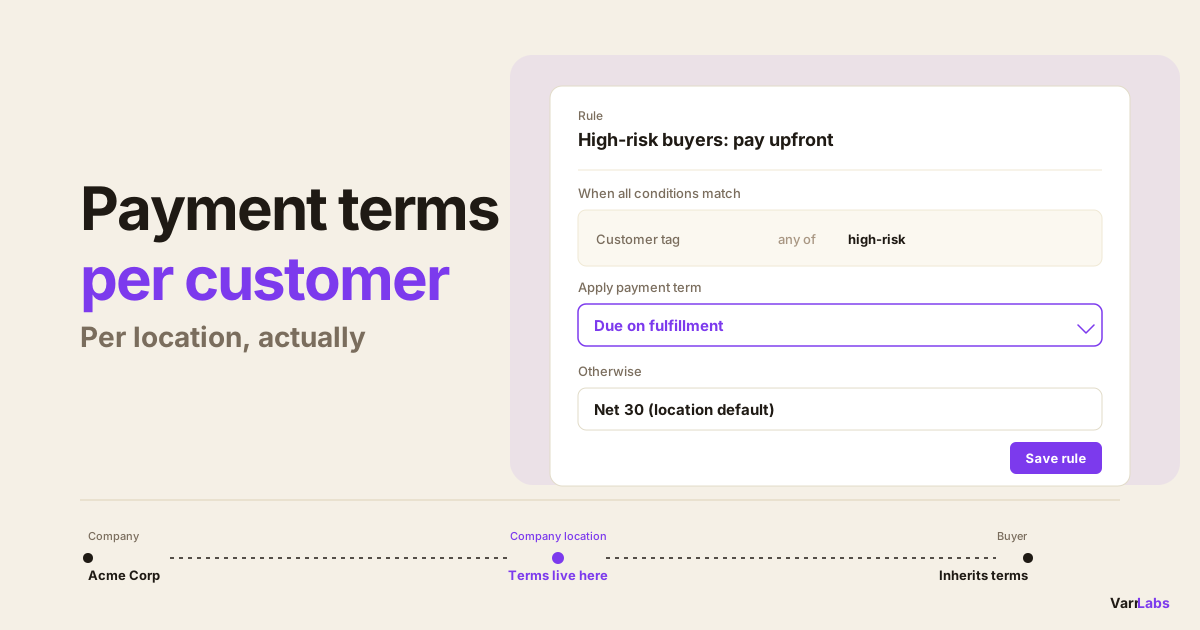
Condition: Company is Northwind Traders AND order total is at or above $10,000 Outcome: Net 30
Because the rule targets the company, all of Northwind's locations inherit it, including the West warehouse you would otherwise have forgotten. No per-location backfill, no invisible gaps when a new location appears.
TermStack lets one rule cover a whole company or a single location, so terms follow the buyer instead of the setting you forgot. Try TermStack free for 14 days →
If you want terms that change by order size or buyer history rather than staying fixed, conditional payment terms on Shopify Plus covers that pattern in more depth.
Company vs company location at a glance
| Question | Answer |
|---|---|
| Which one holds payment terms? | The company location |
| Which one is just a container? | The company |
| Where do I click to set Net 30? | Customers → Companies → open company → open location |
| Does a company always have a location? | Yes, at least one, created by default |
| What does checkout read? | The location the buyer orders under |
| How do I cover every location at once? | A TermStack rule that targets the company |
Frequently Asked Questions
Summary
A Shopify company is a container. A company location is where the work happens. Payment terms, catalogs, checkout settings, and addresses all live on the location, and checkout reads the location the buyer orders under. There is no company-wide term to set, which is why "I set Net 30 on the company" quietly fails the moment a second location exists.
Once you have more than a few multi-location companies, keeping terms consistent by hand stops scaling. That is where a rules layer like TermStack earns its place: one rule can cover an entire company or a single location, so terms follow the buyer instead of the setting you forgot to update.