Payment Customization Function vs. App: Build or Buy for B2B Terms
Should you build your own Shopify Payment Customization Function for B2B terms, or use an app? A straight answer based on what the Function API can and can't do.
Key Takeaways
- 1A Shopify Payment Customization Function handles the checkout logic, but you still need storage, a UI, and data sync — which means building most of an app anyway.
- 2For static or rarely changing rules, a custom Function is reasonable; for rules your ops team manages, you need an admin interface on top.
- 3The 4KB metafield limit, the need for pre-synced buyer data, and the lack of a built-in simulator are the parts that catch teams off guard.
- 4TermStack uses the same Payment Customization Function API under the hood and ships the surrounding system — UI, simulator, versioning, audit trail — so you don't have to.
If you sell B2B on Shopify Plus and you've outgrown Shopify's static payment terms, you've probably hit the same fork: build something custom, or install an app. Shopify Functions make building feel more accessible than it used to be when everything ran through Scripts. But accessible isn't the same as simple. This post walks through what it actually takes to build a Payment Customization Function for B2B payment terms, where it gets complicated fast, and when an app is the more sensible choice.
What a Payment Customization Function can do
A Shopify Payment Customization Function runs at checkout with a single job: receive the cart context and return modified payment methods. For B2B payment terms, you'd use the cart.payment-methods.transform.run API target.
At its most basic, a Function can:
- Show or hide certain payment methods based on who's checking out
- Apply different net-day terms based on buyer tags or order size
- Block specific payment options for B2B company accounts
The Function runs in under 5ms, executes in a WebAssembly sandbox, and makes no external API calls. Those constraints are the same for everyone — there's no getting around them.
The appeal is real: you own the logic, you control the deployment, and you're not paying a monthly app fee. If your rules are static and simple, a custom Function is a reasonable choice. For a broader look at how B2B payment terms work on the platform, the B2B payment terms complete guide covers the native setup first.
Where it gets complicated
The Function itself is not the hard part. What's hard is everything around it.
The rules have to live somewhere. A Function has no built-in storage. It reads input from the cart context and whatever you've pre-loaded into metafields on the Payment Customization object. If your rules are hardcoded into the source, every rule change is a code deploy. For most B2B operations teams, that's not workable.
So you need an admin interface where someone can manage the rules without touching code. Now you're building a Shopify app, not just a Function.
Metafield size limits. The Payment Customization metafield caps at roughly 4KB. If your ruleset grows — and B2B rule sets do grow as you add customer segments, order tiers, and product-based conditions — you'll need to chunk the payload across multiple metafields and reassemble it inside the Function. That's logic you have to write, test, and maintain.
Per-buyer runtime data. Say you want to match a rule based on a buyer's existing payment terms template on their Shopify company location (whether they're currently on Net 30, Net 45, etc.). The Function can't look that up at runtime because it can't make external calls. You have to pre-sync that data into a metafield on the company location before checkout runs.
That means building a webhook listener for company_location/create and company_location/update, a queue to buffer those events, a consumer to write the metafield, and a backfill job to handle the initial data load and reinstall scenarios. If the sync fails, conditions that depend on it silently don't match.
Testing before you publish. A broken ruleset doesn't throw a visible error — it just returns no change or applies wrong terms. Without a simulator that lets you test a draft ruleset against a real checkout context before you publish, you're flying blind. Building that is another significant project.
Version history and rollback. If you publish a bad ruleset and need to revert, you need something to revert to. That means storing immutable ruleset snapshots, tracking which version is live, and being able to roll back without a code deployment.
Audit trail. Finance teams often need to answer "why did this order get these terms?" after the fact. Building an immutable log of every rule change, who made it, and what the state was before and after is real work that someone has to do and maintain.
The honest build estimate
If you're starting from a blank Shopify app and want to build what a production B2B payment terms engine actually requires, you're looking at:
- A Shopify embedded app with an admin UI for rule management
- A backend to persist rules, handle publishing, and enforce access controls
- A Shopify Function for checkout evaluation
- Metafield chunking for large rule payloads
- A webhook pipeline for per-location data sync
- A rule simulator against draft and published versions
- Version history with rollback
- An audit trail
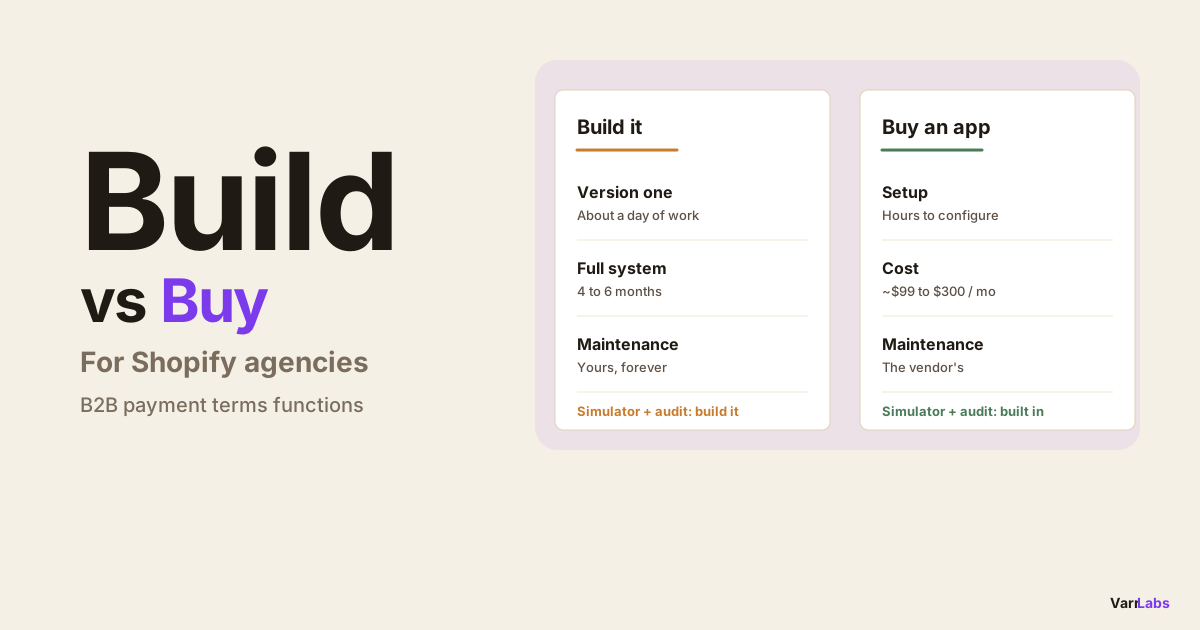
None of these are insurmountable. But they add up. A solo developer moving fast could put together a basic version in 6-8 weeks. A production-quality system with the error handling, edge cases, and UX that operations teams actually need is closer to 4-6 months of real effort.
That's not an argument against building. If your B2B setup is genuinely one-of-a-kind and an off-the-shelf app can't handle it, building may be the right call.
When to build vs. when to use an app
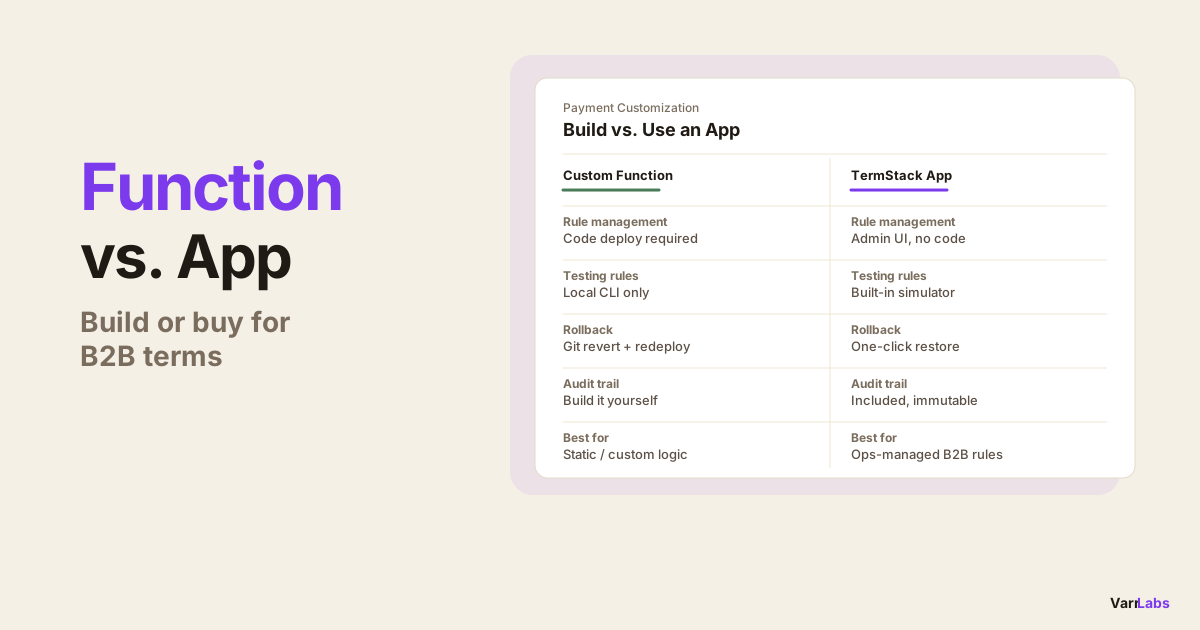
| Situation | Build | Use an app |
|---|---|---|
| Rules are static, change rarely | Yes | No |
| Ops/finance team manages rules | No | Yes |
| Need to test rules before going live | No | Yes |
| Need audit trail for compliance | No | Yes |
| Custom logic no app covers | Yes | No |
| Developer capacity is limited | No | Yes |
Build your own Function if:
- Your rules are static or change infrequently and code deploys are part of your normal workflow
- You have developer capacity and the custom logic is genuinely outside what any app covers
- You need to own the code for compliance or security reasons
- You're a Shopify agency building a bespoke solution for a single client with an unusual requirement
Use an app if:
- Your ops or finance team needs to change rules without engineering involvement
- You want a simulator to test rules before they go live
- You need an audit trail that answers "why did this order get these terms?"
- You want rollback when something goes wrong
- You're spending developer hours on infrastructure instead of your actual product
If you're also weighing this against using draft orders for B2B, the TermStack vs. draft orders comparison covers that tradeoff specifically. And if you're an agency making this call for a client rather than your own store, the build-vs-buy breakdown for agencies covers the day-rate math and handoff tradeoffs.
When native Shopify terms aren't enough
Shopify's default B2B payment terms are set at the company level in the admin. They're static, they don't respond to order size or buyer behavior, and they can't be tested before they go live.
TermStack is a Shopify-native rules engine for B2B payment terms. Build conditional rules in the admin, test them with the simulator, publish with one click, and roll back if anything goes wrong. Try TermStack free for 14 days →
TermStack handles the infrastructure — the Function, the metafield distribution, the location sync pipeline, the version history, and the audit trail — so you're managing business logic, not plumbing. Plans start at $99/month with a 14-day trial; see the pricing page for details on rule limits per plan.
Frequently Asked Questions
Summary
Building a Payment Customization Function is not hard. Building the system around it — rule management, simulation, versioning, auditing, and buyer data sync — is where the real effort lives. If you have straightforward rules and a developer who can maintain them, building makes sense. If your ops team needs to manage and test rules independently, TermStack gets you to the same outcome without the infrastructure work.